
 Integration partner
Your CompanyCam roof photos, now in the homeowner's HomePlan.
SalesAsk records the appointment and pulls in the CompanyCam photos from that address. Your rep picks the shots that matter, and the homeowner gets them in one link, next to the recap of what you found up there.
- Photos matched to the appointment by job address
- Your rep chooses what the homeowner sees
- Read-only, and internal photos stay internal

1,000+ sales teams rely on SalesAsk.





















Why roofers connect it
The homeowner never climbs the ladder. Your photos are the only proof they get.
Your rep climbs up, shoots the damage in CompanyCam, then comes down and describes it at the kitchen table. The photos stay in an app the homeowner never sees, and they're left to take your word for what's up there.
The homeowner gets one HomePlan they can open again later and pass to anyone else who has a say in the roof.
SalesAsk looks for the CompanyCam project at the appointment address, within about 0.1 miles. If there isn't one, it uses the photos your rep took from an hour before the appointment to an hour after it.
Photos land on the appointment in SalesAsk. The rep picks the shots that show the problem, and anything marked internal never reaches the homeowner.
Built around how you already sell.
Your growth advisor sets SalesAsk up around the steps your managers already teach and stays with you after launch. 94.6% of appointments recorded on SalesAsk get AI coaching feedback.

One person to call
The person who sets you up is the same person you talk to at every quarterly review.

Setup and training
We connect your CRM and set Coach Dean up around the steps your managers already teach. Managers get trained first, then reps.

A 30 day rollout
Your sales leader signs off on the plan before launch. Reps record their first visits on day one.

Weekly check-ins, then quarterly reviews
In month one you go over who is recording, rep by rep, every week. After that you look at close rate, ticket size and revenue added each quarter.
Roofing teams on SalesAsk
Results other roofers have already put on the board.
How it works
From the roof to the homeowner in one HomePlan.
Recording
Capture every conversation
One tap on iPhone, iPad and Android phones and tablets, plus Apple Watch. The audio holds up in a basement or a moving truck, and it keeps recording with no signal.
- Field-grade audio, zero setup
- Works offline anywhere
- A nudge to record when the rep arrives
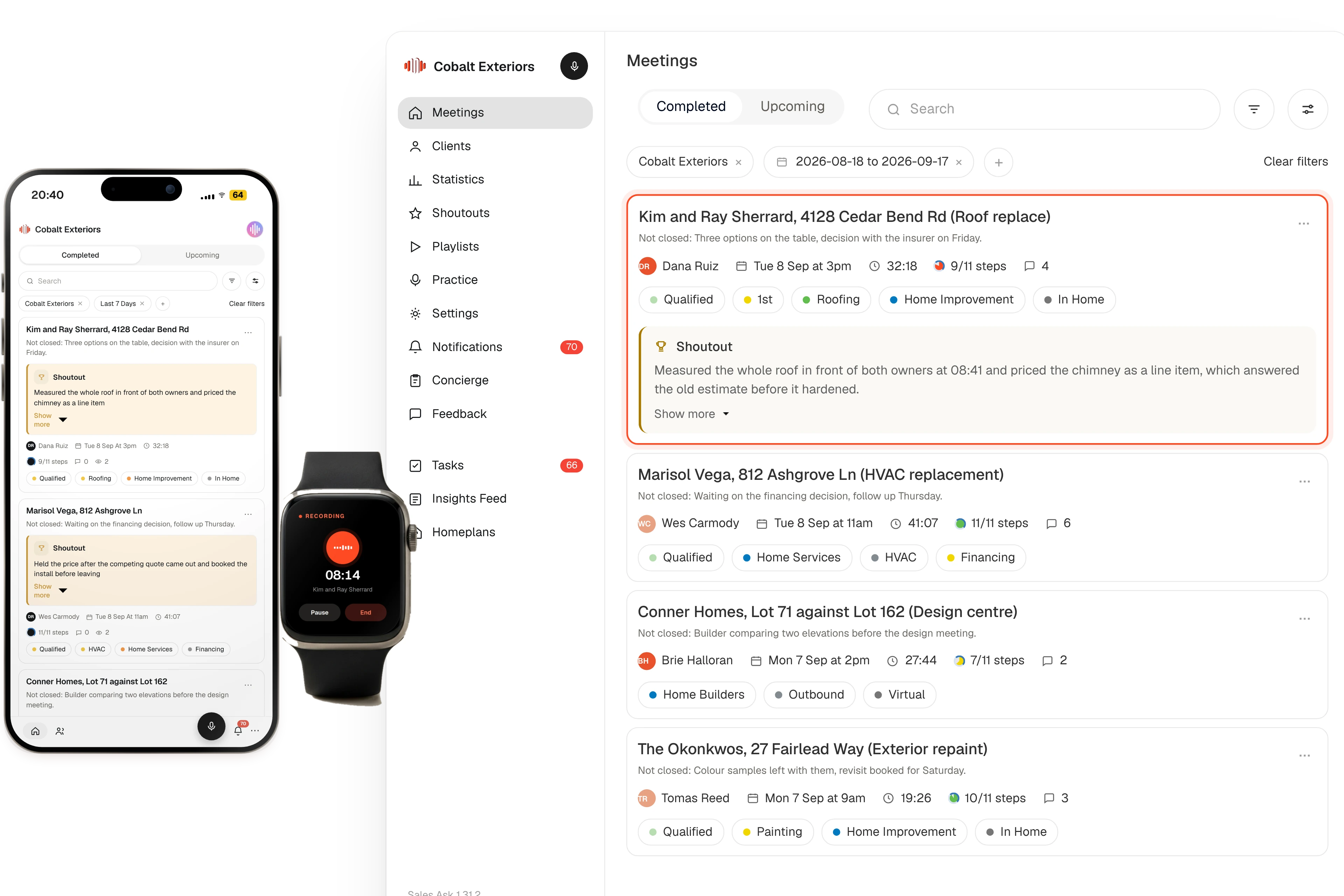
CompanyCam
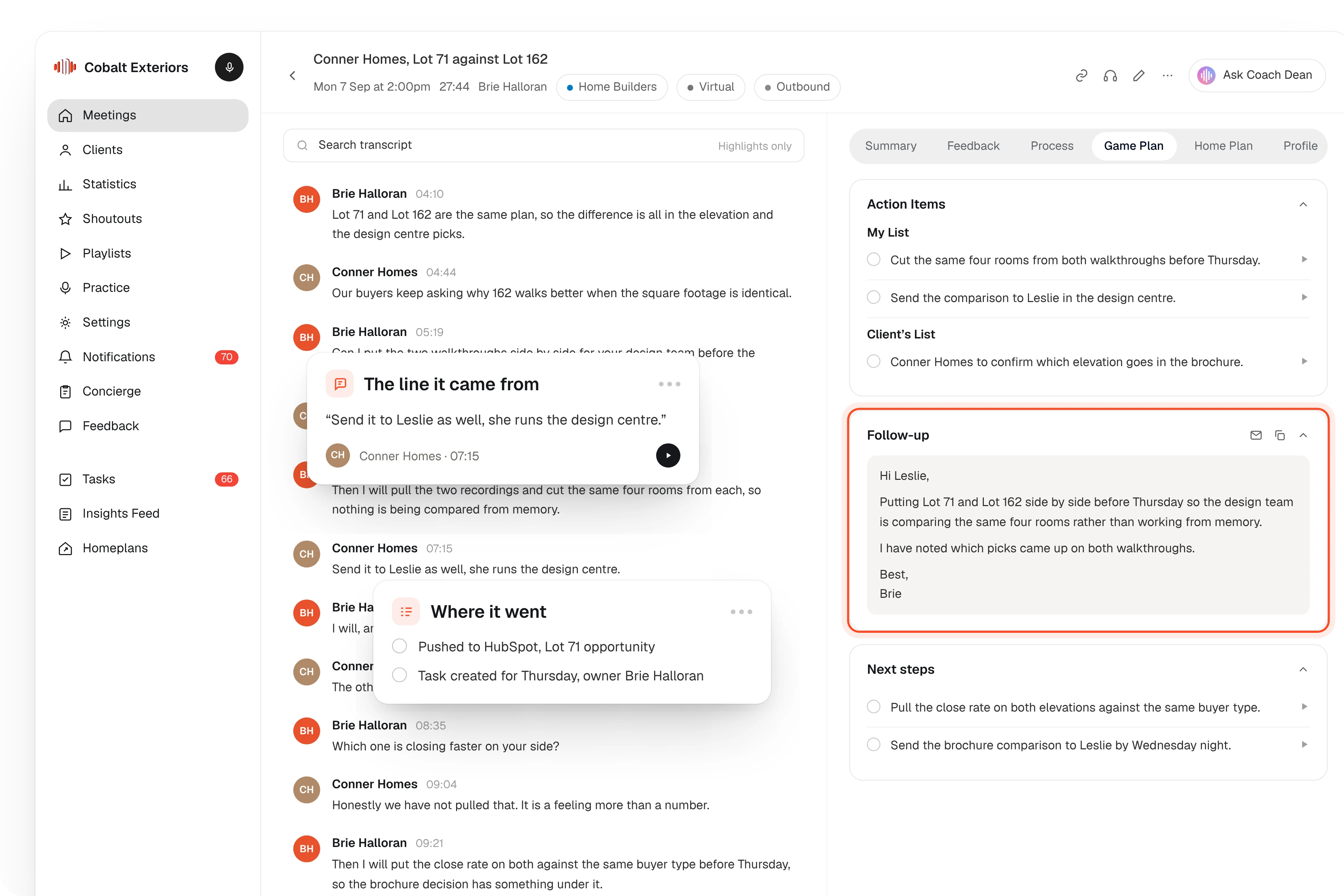
Job photos land on the appointment
Once the appointment is recorded, a Photos card on its summary shows the CompanyCam shots from that job, captions and all. If it picked the wrong project, import from another one or remove a photo from that appointment.
- Matched by job address, then by time
- Captions come across with the photos
- Reps matched by the email they use in both tools
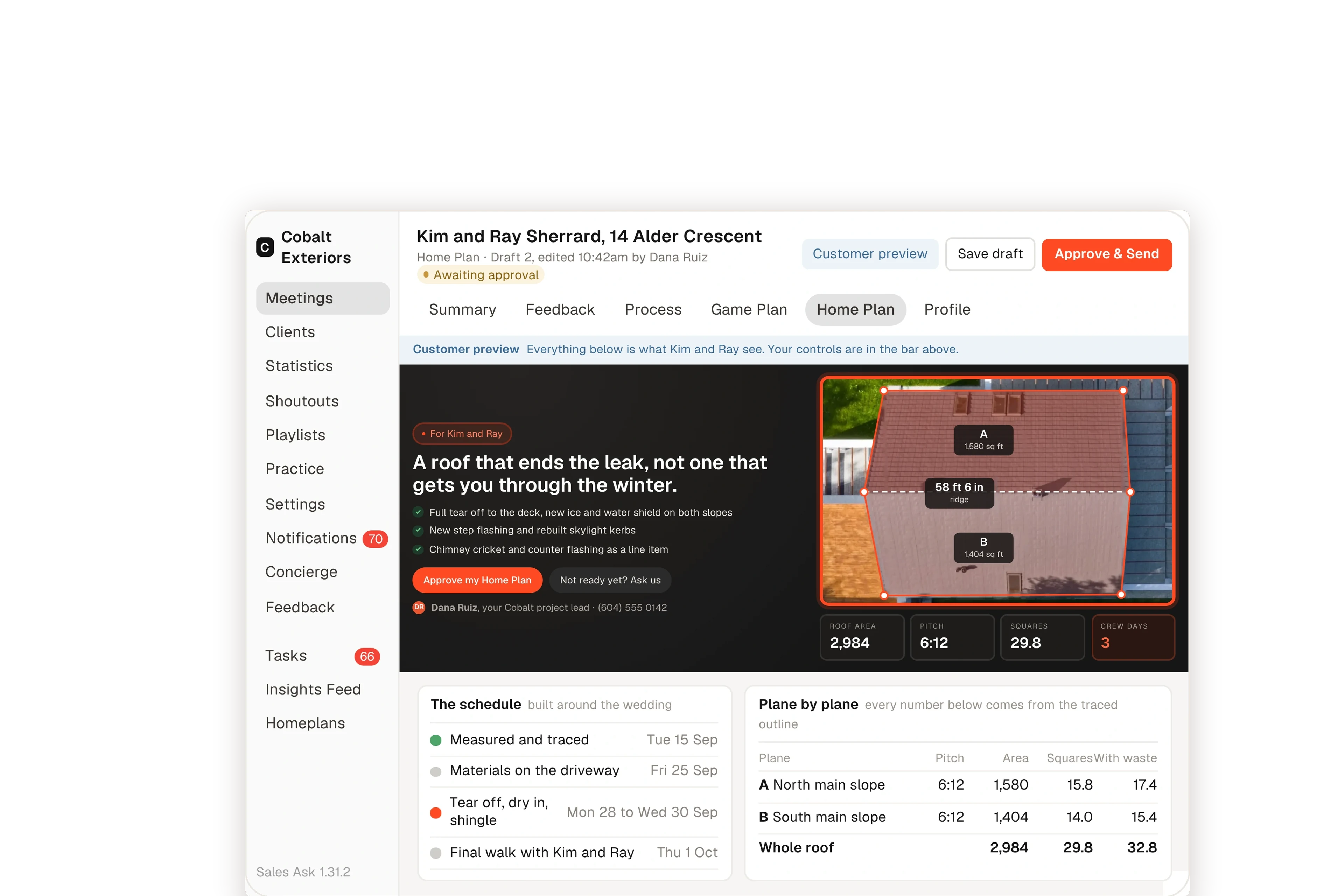
HomePlan
One HomePlan the homeowner can come back to
The rep chooses which photos go in. The homeowner gets one link with the recap of the appointment, what you found and the photos that show it, and you can see when they open it.
- Photos next to the findings they prove
- One link to share with whoever else decides
- See when the homeowner opens it

Security and compliance
Built with trust, safety, and reliability at the core.
An independent auditor has checked how we protect your recordings. Your data is never sold and never used to train models for other companies, and consent tools cover all 50 states.


In most places it is legal to record client conversations for training and quality control. A few states and provinces have two-party consent laws, so the homeowner has to be told before recording starts. Our guidelines list those locations and the wording teams use.
It checks the appointment address against your 500 most recently active CompanyCam projects and uses the one within about 0.1 miles. If none match, it uses the photos your rep took from an hour before the appointment started to an hour after it ended.
No. Internal photos are left out, and your rep chooses which of the matched photos go into the HomePlan. The connection is read-only and one way, so nothing changes in CompanyCam.
An admin opens Settings, then Integrations, and connects CompanyCam by signing in. There are no API keys to copy. Photos show up on appointments recorded after that.
No. They keep taking photos the way they do now. SalesAsk matches each rep by email, so the one thing to check is that they use the same email in both tools.