Zoom
SalesAsk + Zoom integration
SalesAsk records and coaches your virtual sales meetings. Add the app from the Zoom App Marketplace, paste the meeting URL, and the bot joins.
Integrations
Salesask works with who you work with.



.avif)
.avif)
.avif)

.avif)



.avif)


.avif)


What you get from every Zoom call
SalesAsk works from the bot's first meeting. This is what comes out of a Zoom call, and what syncs to your CRM.
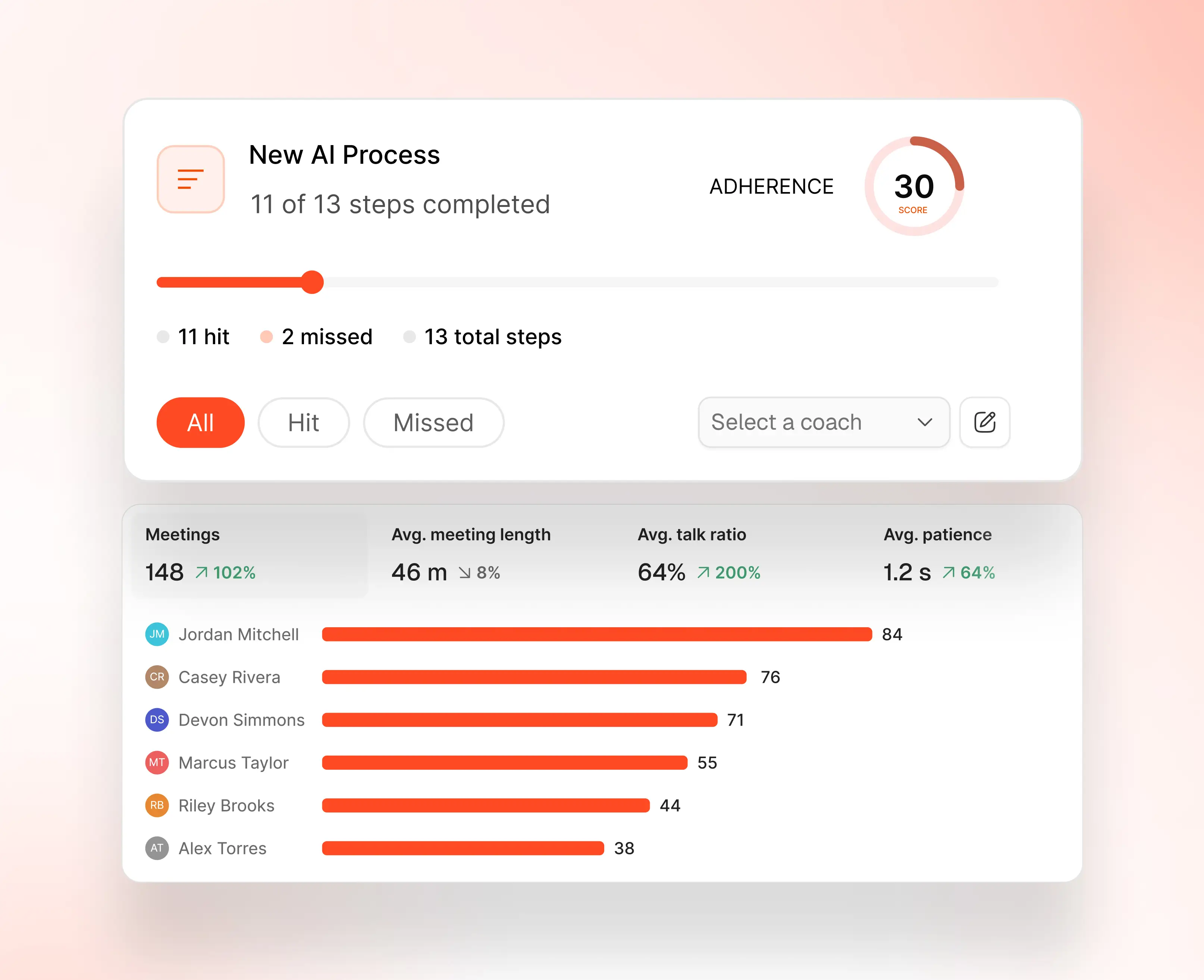
The SalesAsk scorecard. Every call graded against your own sales steps.
Who the Zoom integration is for
SalesAsk is built for home builders, home services and home improvement companies. These are the teams who get the most out of connecting Zoom.
Home builders selling remotely
Virtual model home walkthroughs and design appointments captured in full, so the follow-up names the exact option the buyer asked about.
Remodeling and design consultants
Discovery and design review calls scored the same way in-person visits are, against the same playbook.
Sales managers with hybrid teams
One coaching standard across virtual and in-person selling, reviewed from a single dashboard.
How to connect Zoom
Connected in 3 steps. No IT team required.
Add the app
Log in to the Zoom App Marketplace, search for the SalesAsk app and click Add App. No developer, no API setup.
Start recording
Click Record meeting, paste the meeting invitation URL and click Request Join. Allow the bot and it records the call.
Coach from your dashboard
Read coaching summaries, scorecards and trends in the SalesAsk dashboard. No platform switching.
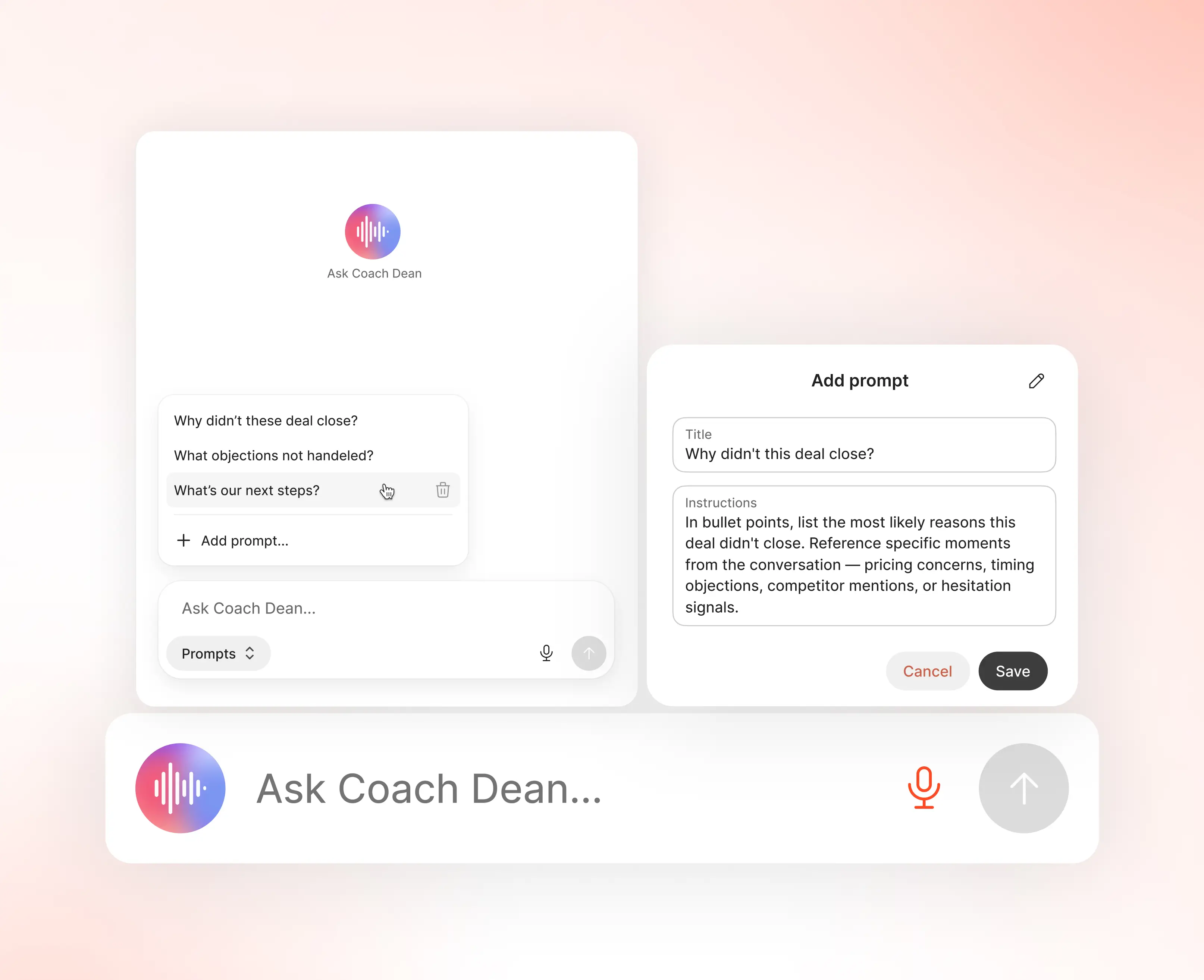
Coach Dean writes the feedback. Managers read it in seconds.
Zoom integration questions
The four things buyers ask most before connecting Zoom.
Does SalesAsk work with Zoom?
Yes. The SalesAsk app is listed on the Zoom App Marketplace. Add it once and it covers every meeting you choose to record.
How long does the Zoom integration take to set up?
A few minutes. Log in to the Zoom App Marketplace, search for the SalesAsk app and click Add App.
How does SalesAsk record a Zoom meeting?
Click Record meeting, paste the meeting invitation URL and click Request Join. The bot joins and records once you allow it.
Do I need a developer to connect Zoom?
No. It is a Marketplace app. Remove it the same way under Manage and Added Apps. Support is at support@salesask.com.
Related pages
Where to go next if you want the full picture.
Start closing more deals, without hiring more reps
See exactly what’s holding your team back and fix it fast.
.avif)