Every roofing appointment turns into a personalized plan for the homeowner.
RoofPlan drafts a living web page from the recording of the appointment. The rep reviews it, corrects anything, and sends.
- Drafted automatically from the recording of the appointment
- The rep reviews, corrects and approves before anything is sent
- The homeowner gets a link, not a PDF attachment
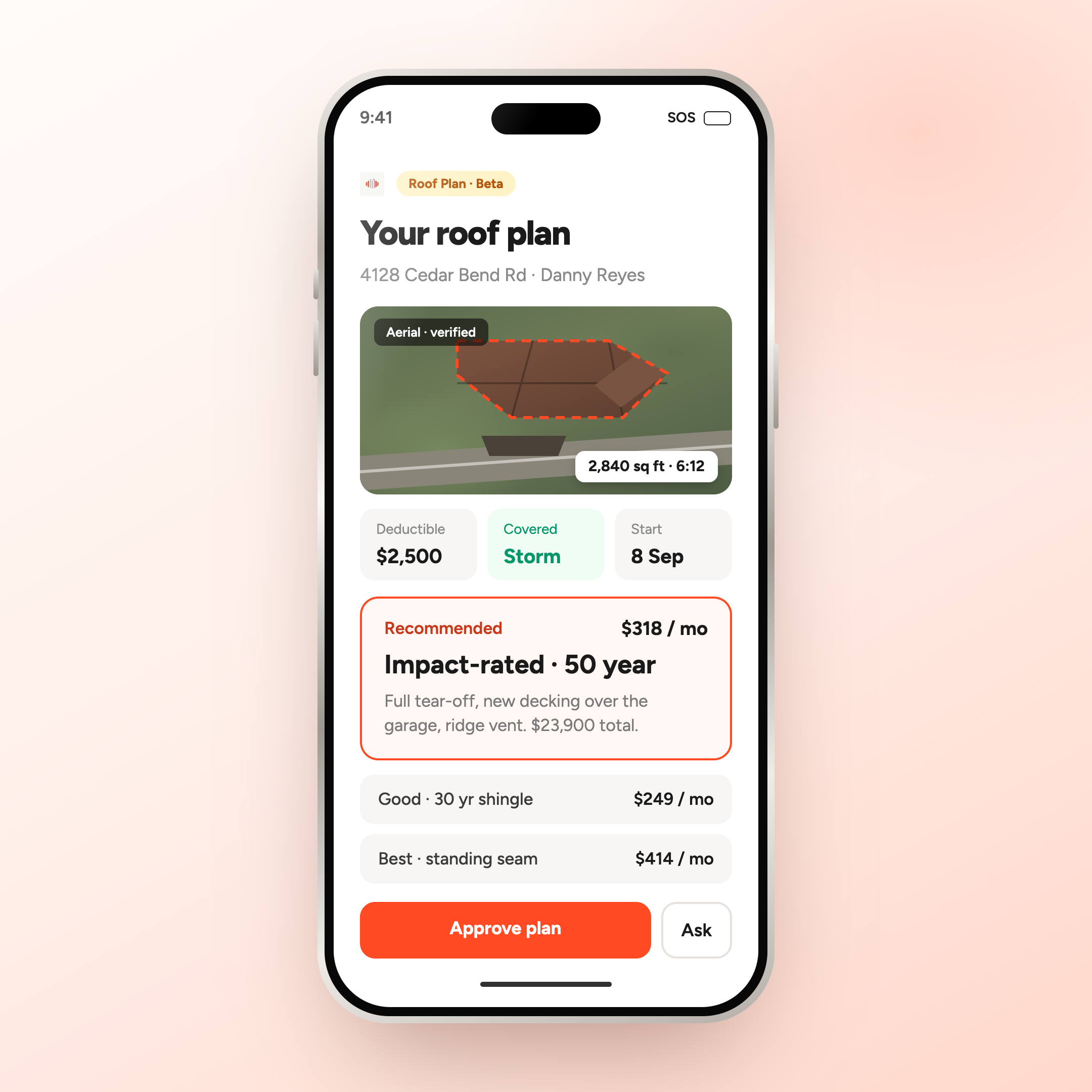


Drafting the perfect follow-up by hand takes 20, 30, 40 hours. RoofPlan drafts it from the recording.
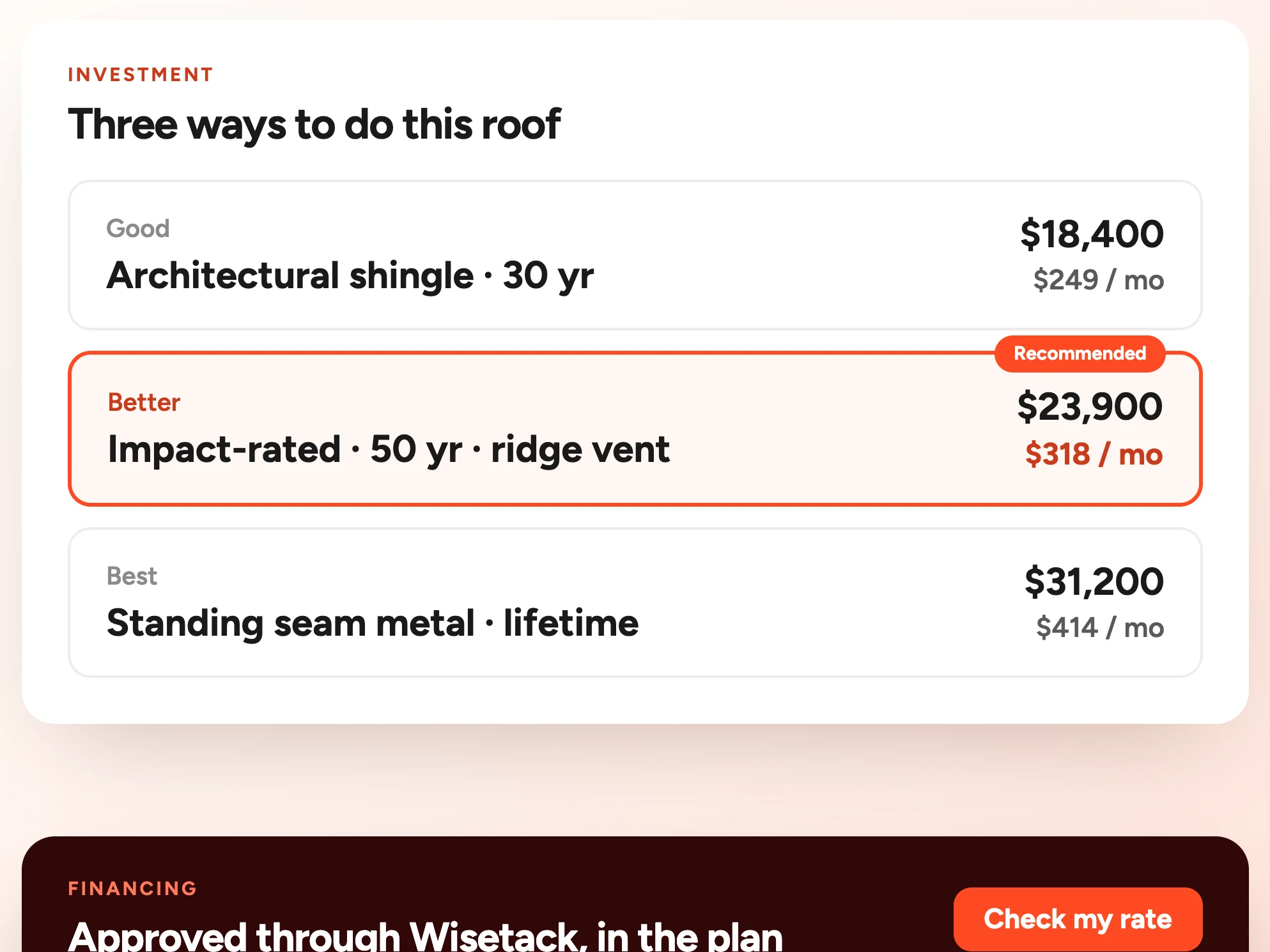
The scope writes itself from the walkthrough and comes back priced three ways, monthly figure first. The homeowner opens the plan before the rep leaves the street.
See RoofPlan on your own jobs. We'll walk you through SalesAsk and show you how RoofPlan drafts a plan from a real appointment recording.
Book a demoWhat RoofPlan builds
after the appointment
Five parts of the plan, drafted from the recording and reviewed by the rep before the homeowner sees anything.
The plan opens with a recap of the conversation, so the homeowner sees you listened before they see a price.
- Drafted from the appointment recording, not from a template
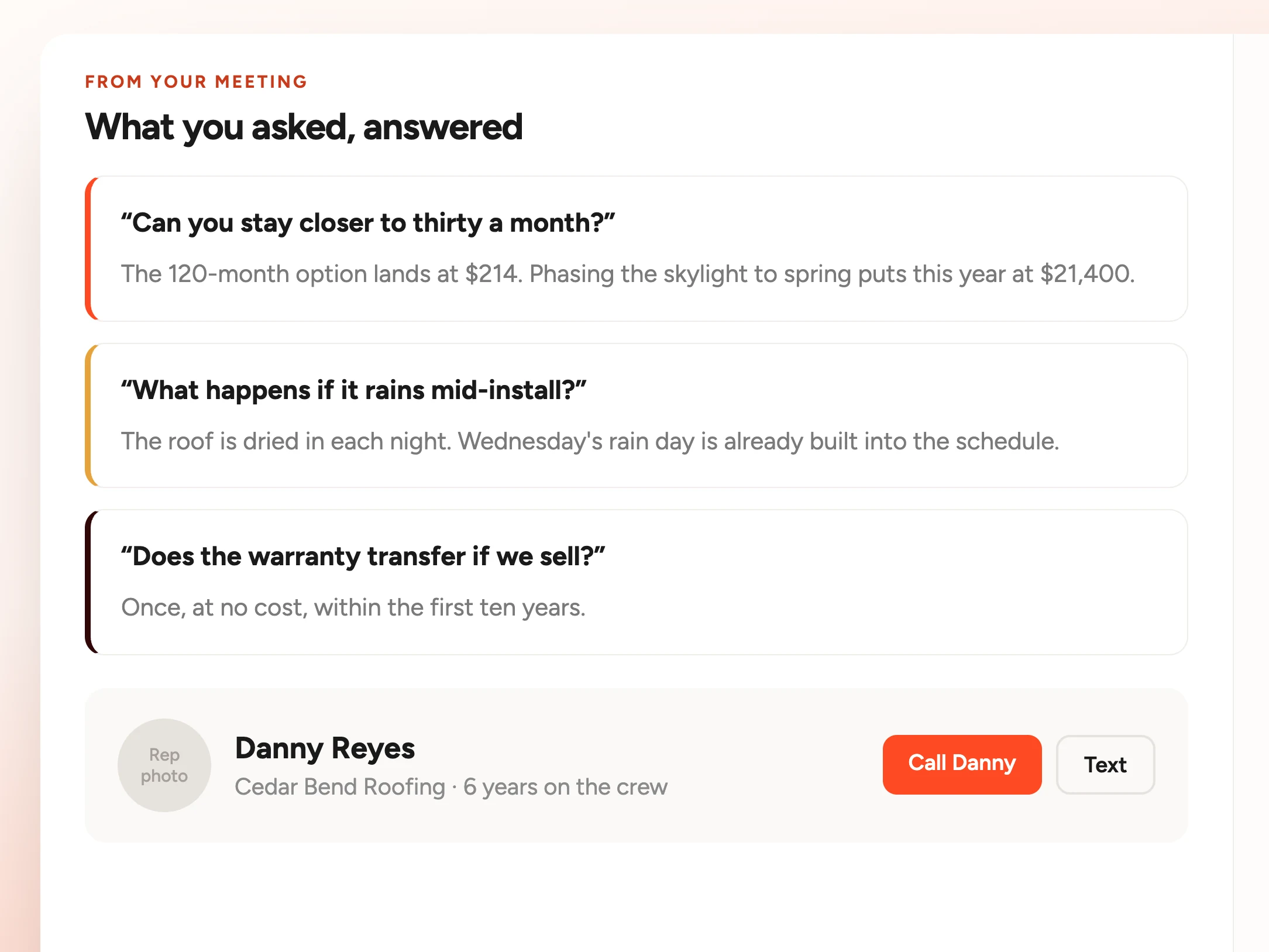
- Questions the homeowner raised get a section of their own
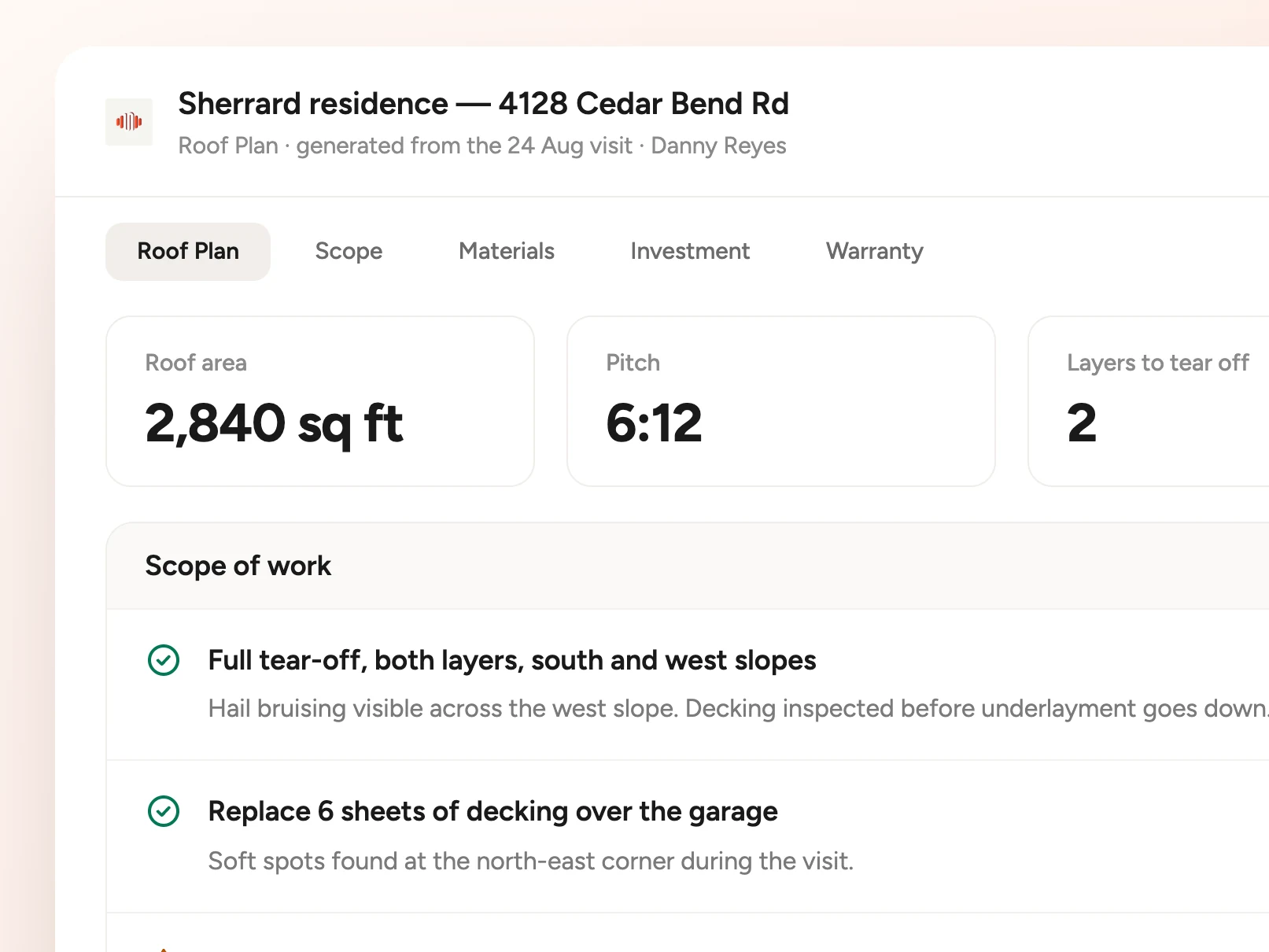
Roof area, roofing squares, predominant pitch and detected roof planes come from Google Solar imagery of the address.
- Every measurement is labeled Estimated, confirm before ordering
- Findings carry a status chip: Needs attention, Healthy or Monitor
Selections, what is included in the roof system, and the pricing options you talked through on the visit.
- An animated model shows every layer of the roof system
- Photos sit next to the findings they belong to
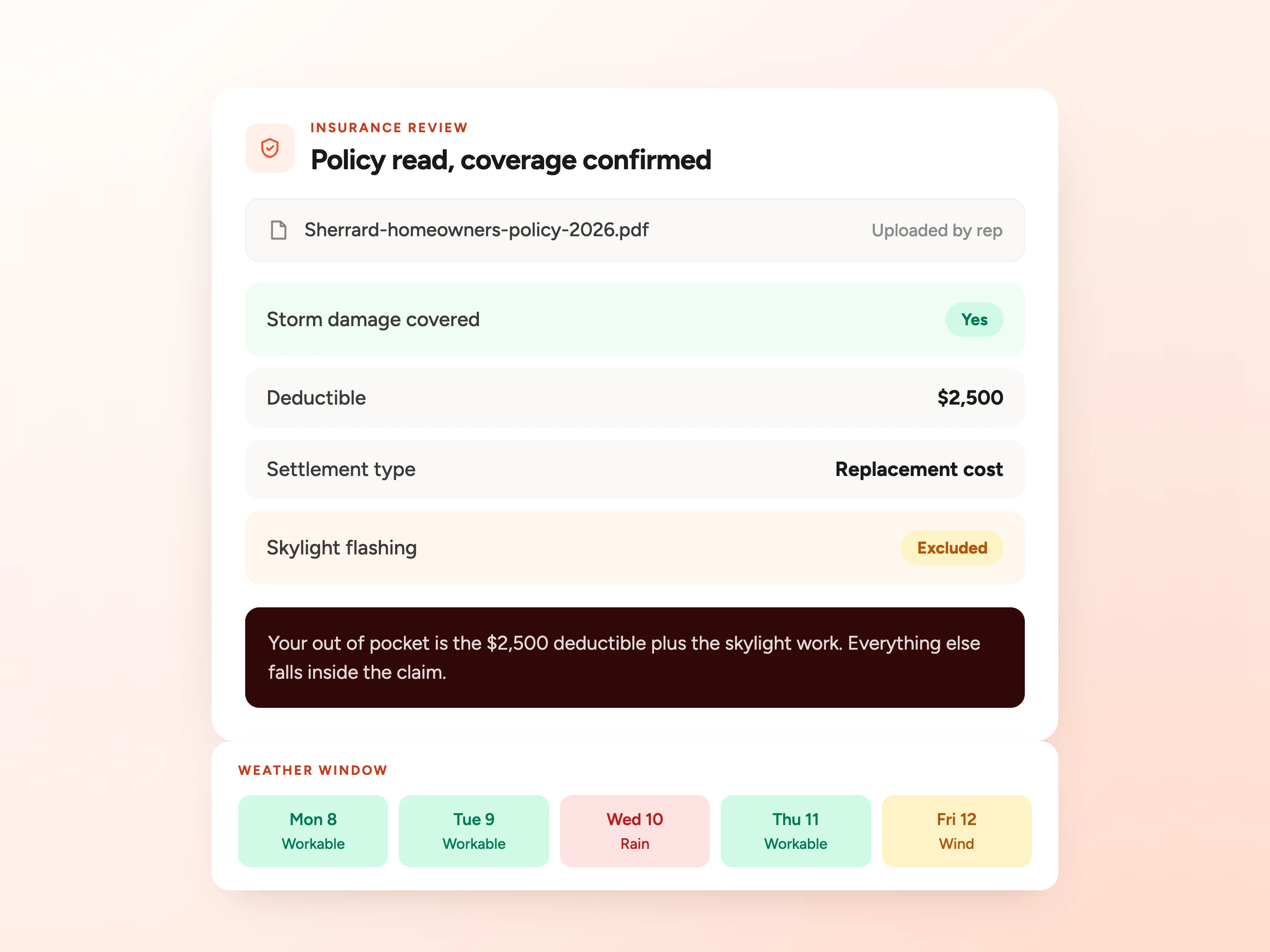
Sliders move the term and the down payment. NOAA data marks which days are workable and which are unlikely.
- An illustrative estimate only, not a quote or a loan offer
- Insurance uploads stay private and are kept for 30 days
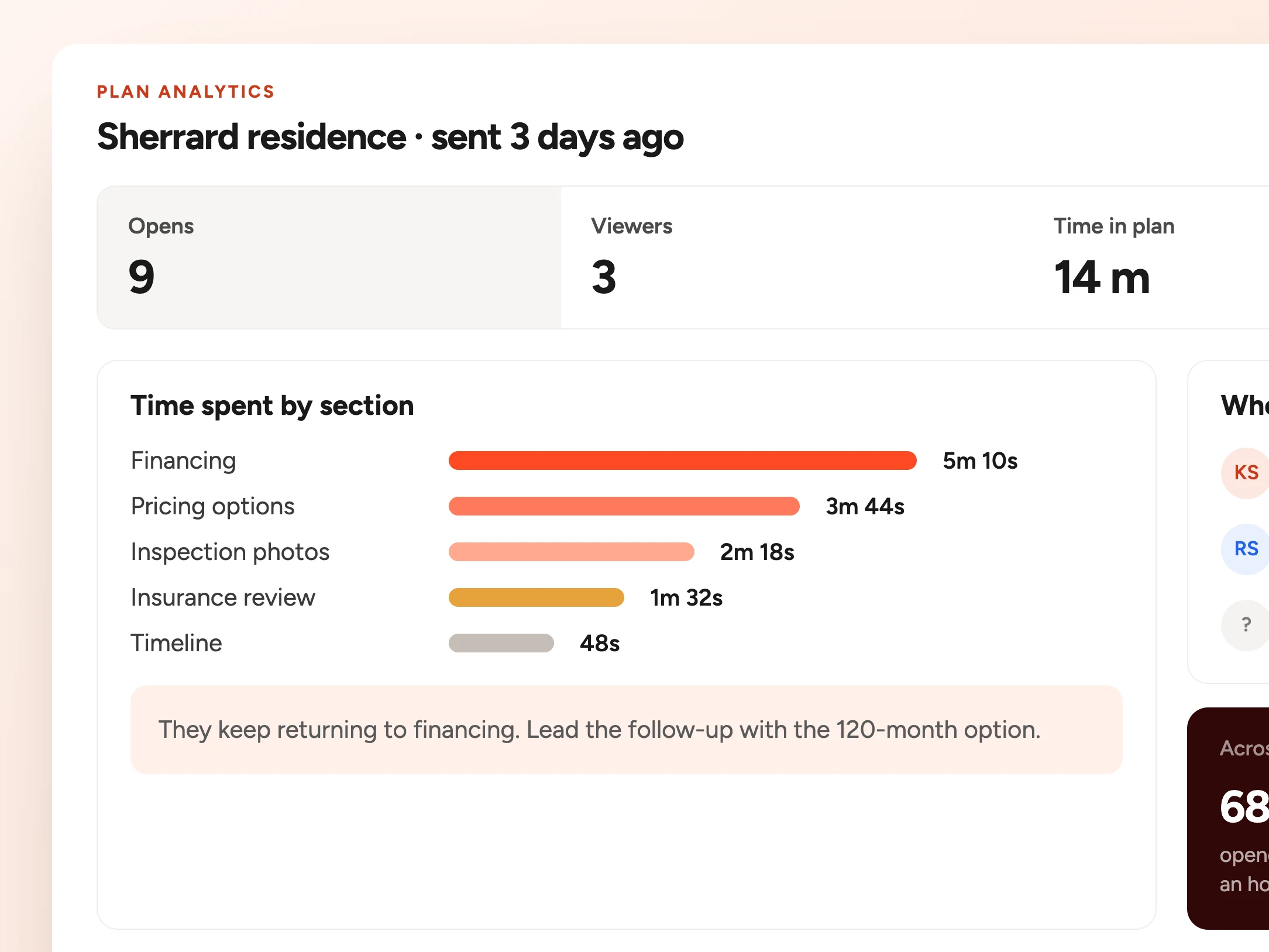
The dashboard shows active plans, buyer views, pipeline and how long each homeowner spent on their plan.
- Copy the public link, or nudge the buyer once a day
- Every row shows owner, deal value, call length and views
The people who use SalesAsk,
in their own words.
Owners, sales managers and reps at roofing and restoration contractors.
“It’s Like Having My Sales Manager On Every Call” | Connell Roofing + SalesAsk
Vincent Brown
Sales Rep, Connell Roofing
“What SalesAsk has done is pull out the steps that should have happened, highlight areas we can improve, and give us real-time feedback we can actually act on.”
Anthony
Sales Manager, 5 Star Disaster Services
Mr. Roofing aligns two-call close coaching with SalesAsk
Mark Schmidt
COO, Mr. Roofing


Start closing more deals, without hiring more reps
See exactly what’s holding your team back and fix it fast.
.avif)