Platform/Homeplan
The plan the whole household sees after the visit.
After the visit, SalesAsk builds a personalised HomePlan page from the appointment, so the whole household sees the same thing. Your rep reviews it, fixes anything wrong, and sends a link instead of a PDF.




1,000+ sales teams rely on SalesAsk.




















The problem
The follow-up is the last thing a homeowner sees, and usually the thinnest thing you send.
What changes with HomePlan
Drafted from the recording of the appointment, not typed up from memory that night.
Your rep reviews, corrects and approves it before anything is sent.
The homeowner gets a link, not a PDF attachment, and can forward it to whoever else gets a say.
Every open, click and share comes back to SalesAsk.
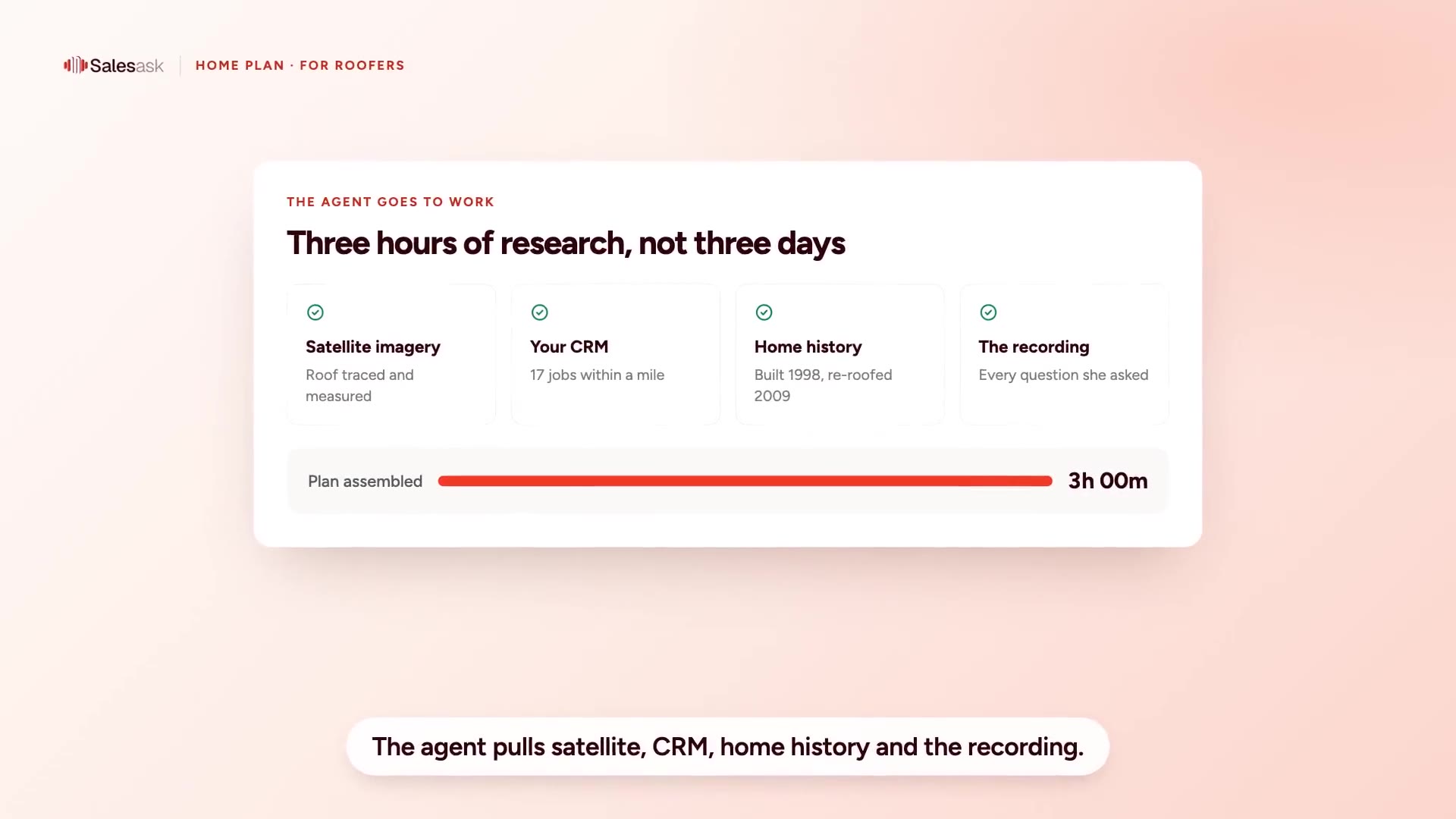
A HomePlan for roofers, start to finish: the rep records on the driveway, the plan drafts itself from that recording, and the homeowner approves from their phone. Sample job.
The rep taps record on iPhone, iPad or Apple Watch. HomePlan starts from the whole conversation, not the notes they remember in the truck.
Explore recordings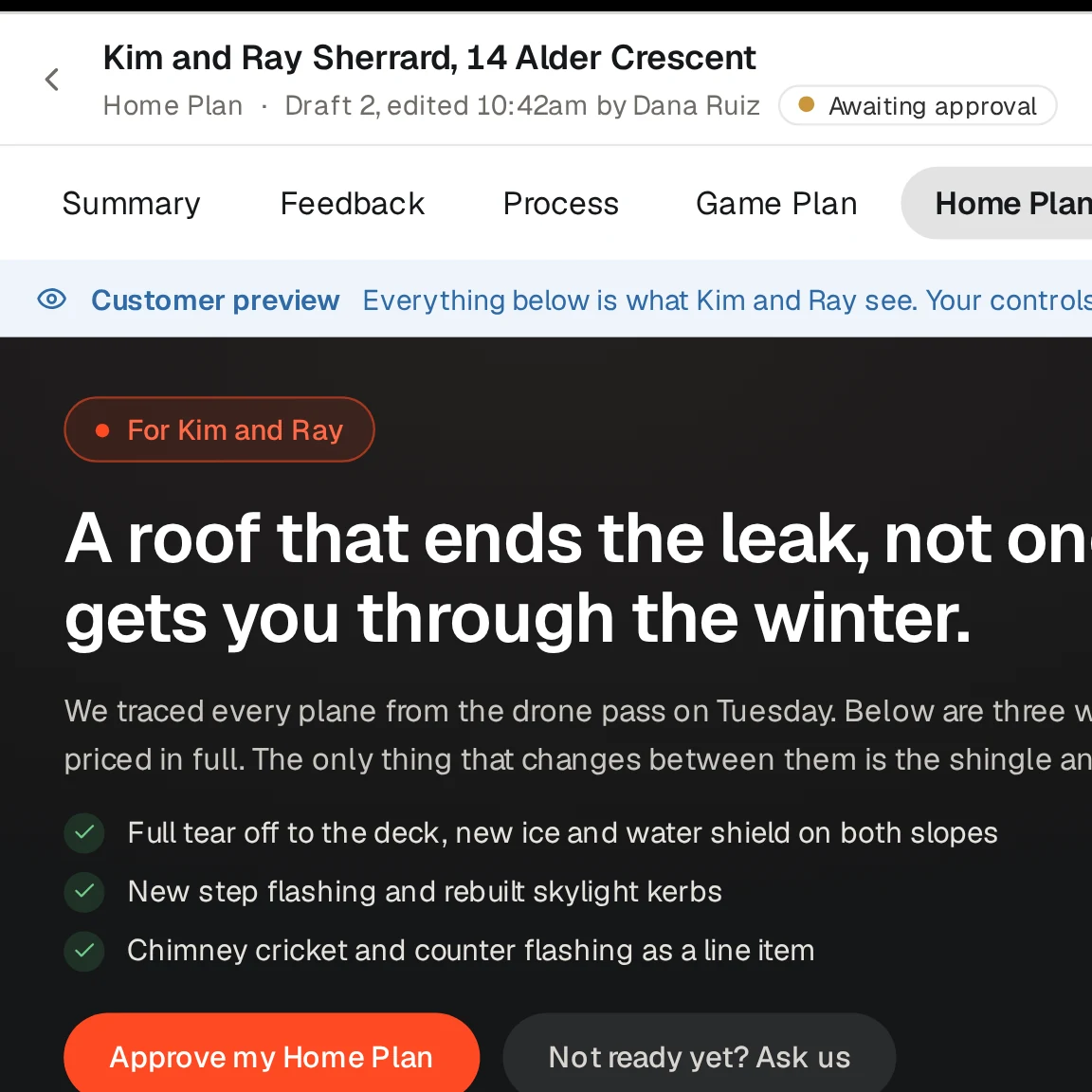
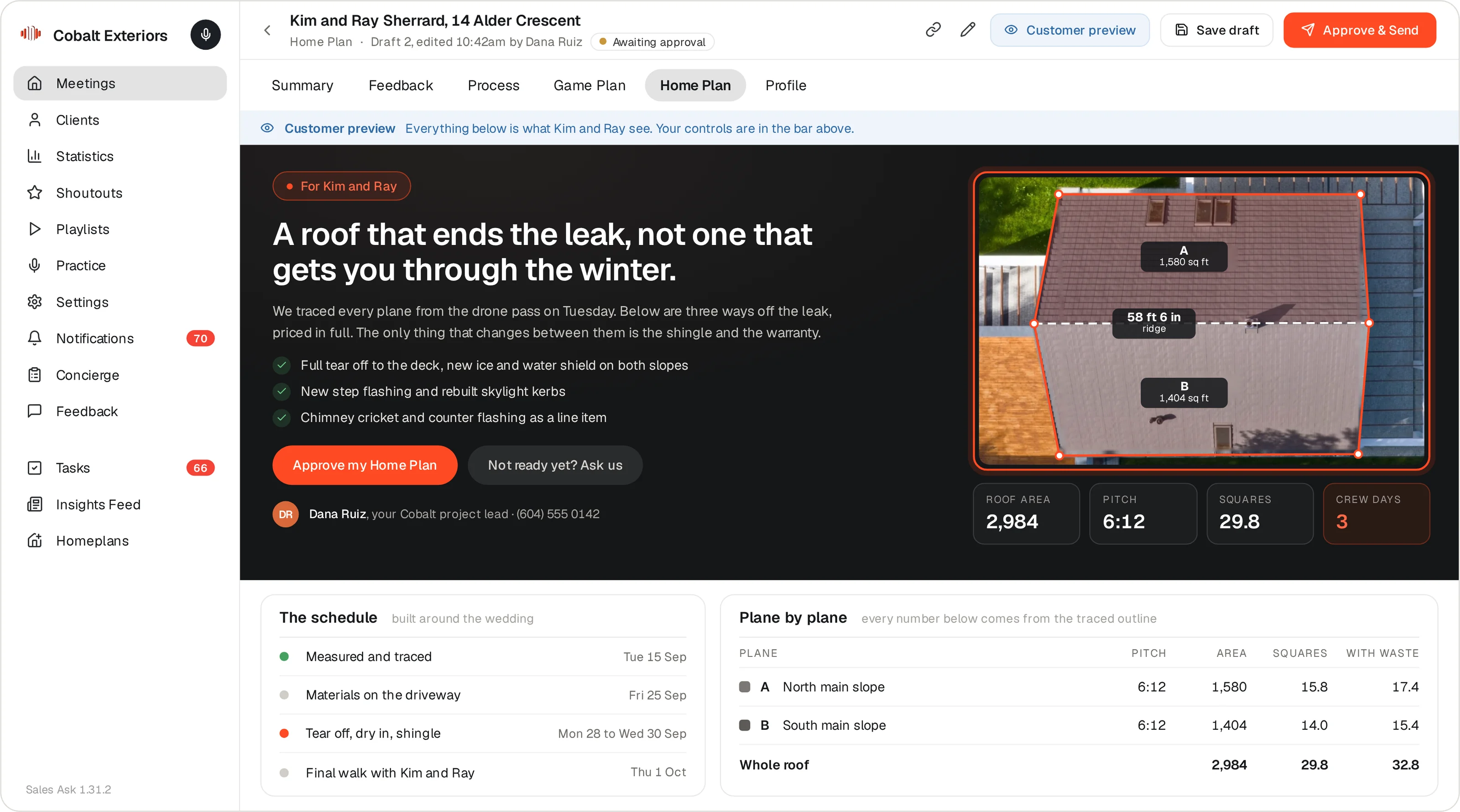
Recap, roof measurements, findings, scope, price options and next steps, drafted from what was said. The rep gets an email when it is ready, fixes anything wrong, then approves.
See how SalesAsk works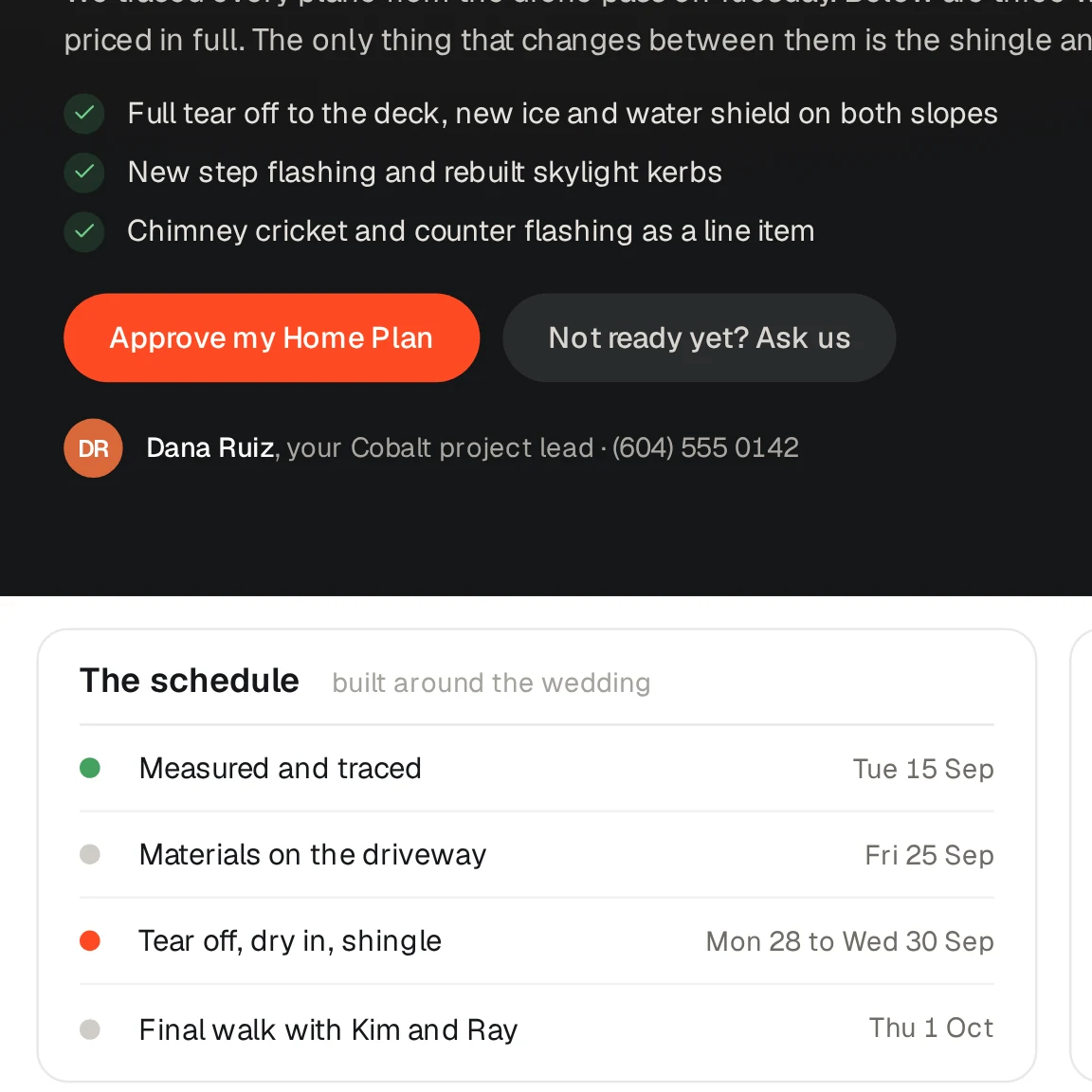
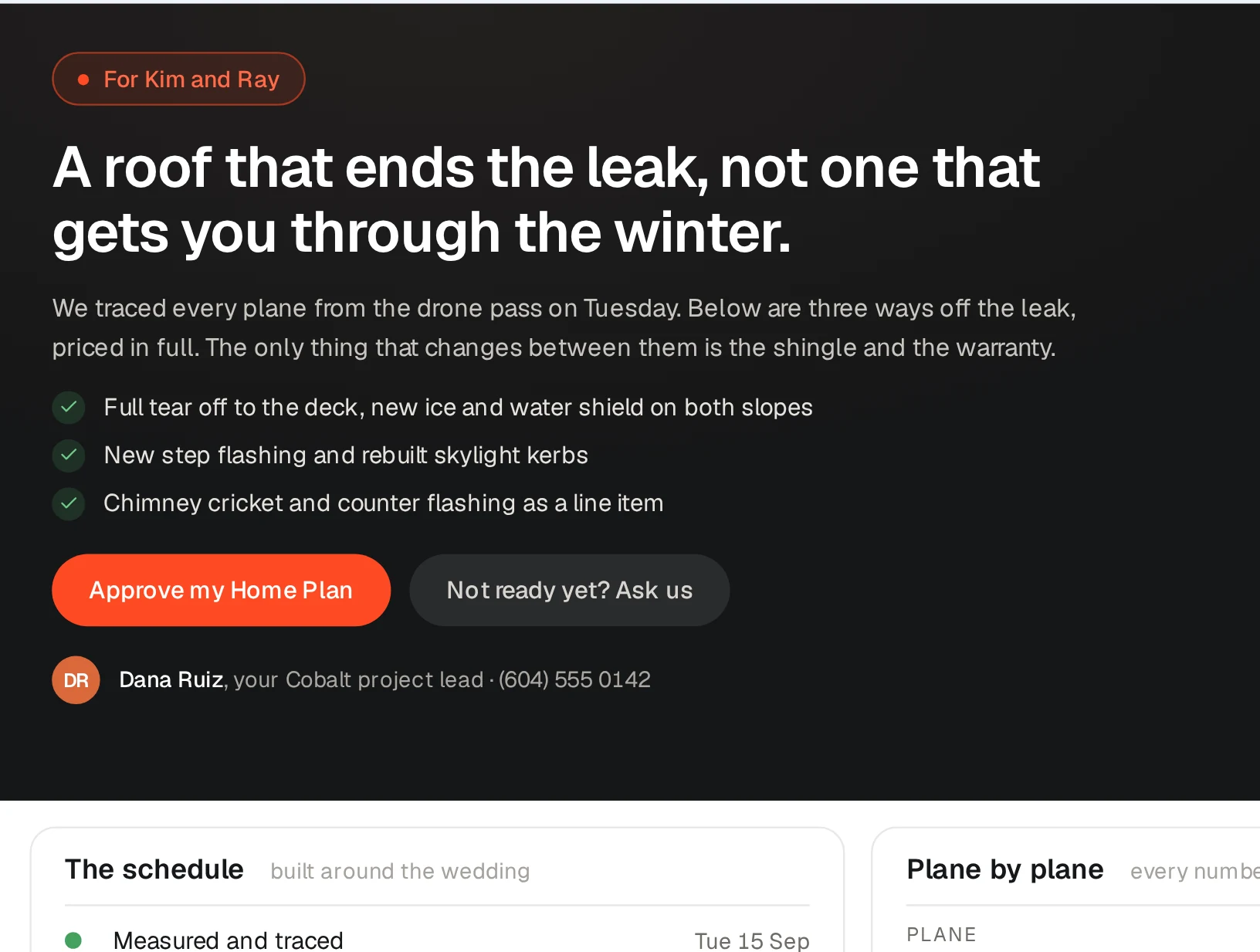
One link for the homeowner to forward to a spouse, a parent, whoever else signs. They approve from the page, or tell you why they are not ready yet.
Book a demoTheir roof, measured, before they see a price
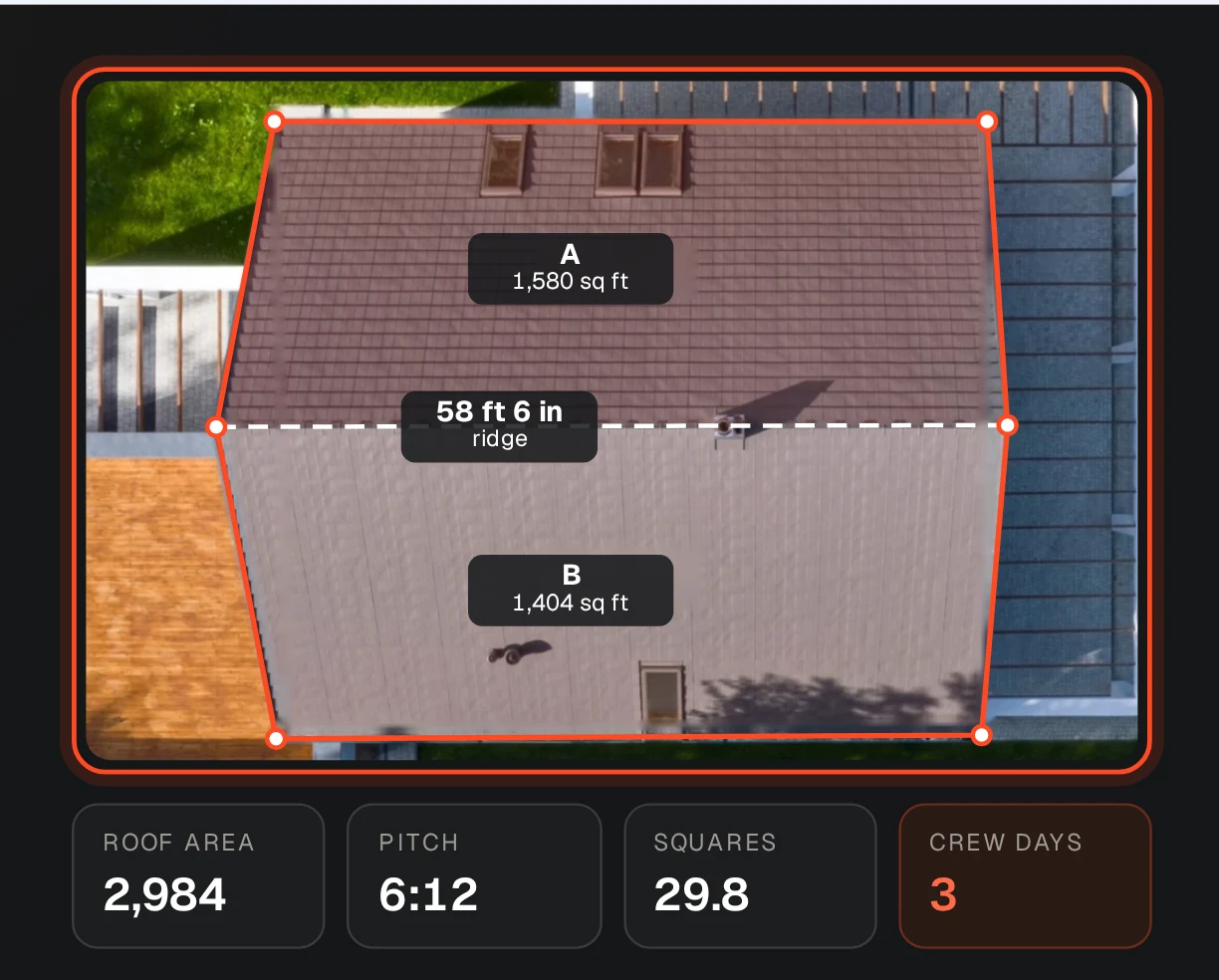
The plan opens on an aerial view of their own house with roof area, squares, pitch and planes already on it, from Google Solar imagery. Every figure is labeled Estimated, with a note to confirm before ordering.
- Roof area, squares and predominant pitch
- Roof planes detected and counted from the imagery
- Your completed jobs nearby, pulled from your CRM
Written for the kitchen table, not the estimator
A recap of what they told you, what the inspection found, the scope, the price options and a monthly payment they can move up or down. Every question they raised at the table gets an answer in writing.
- Findings with the photos from the visit
- A payment estimate with your financing partner, marked illustrative
- Workable days from the NOAA forecast
Your rep approves it. Then you see what they do with it.
A draft carries an Unpublished badge and stays inside SalesAsk until the rep approves and sends it. Once it is out, every open, click and share comes back to the app.
- When they opened it and how long they stayed
- Whether they shared it with a spouse or a neighbor
- One-click approve, or the reason they are not ready
.avif)









.avif)



“It's great to see that percentage go up and know that they're confidently presenting what needs to be talked about: the process, our company, all of that.”

“I was completely blind when it came to training my team and building their skills.”


“It has allowed us to develop our people faster, hold them accountable, and deliver a better experience for our customers.”

“My sales guys are even coaching themselves with Coach Dean.”

“A huge increase in closing percentages. A huge increase in retention. The whole business is better.”


“What SalesAsk has done is pull out the steps that should have happened, highlight areas we can improve, and give us real-time feedback we can actually act on.”


“It's like having my sales manager on every call.”
Works with
HomePlan runs on the same recording as everything else.
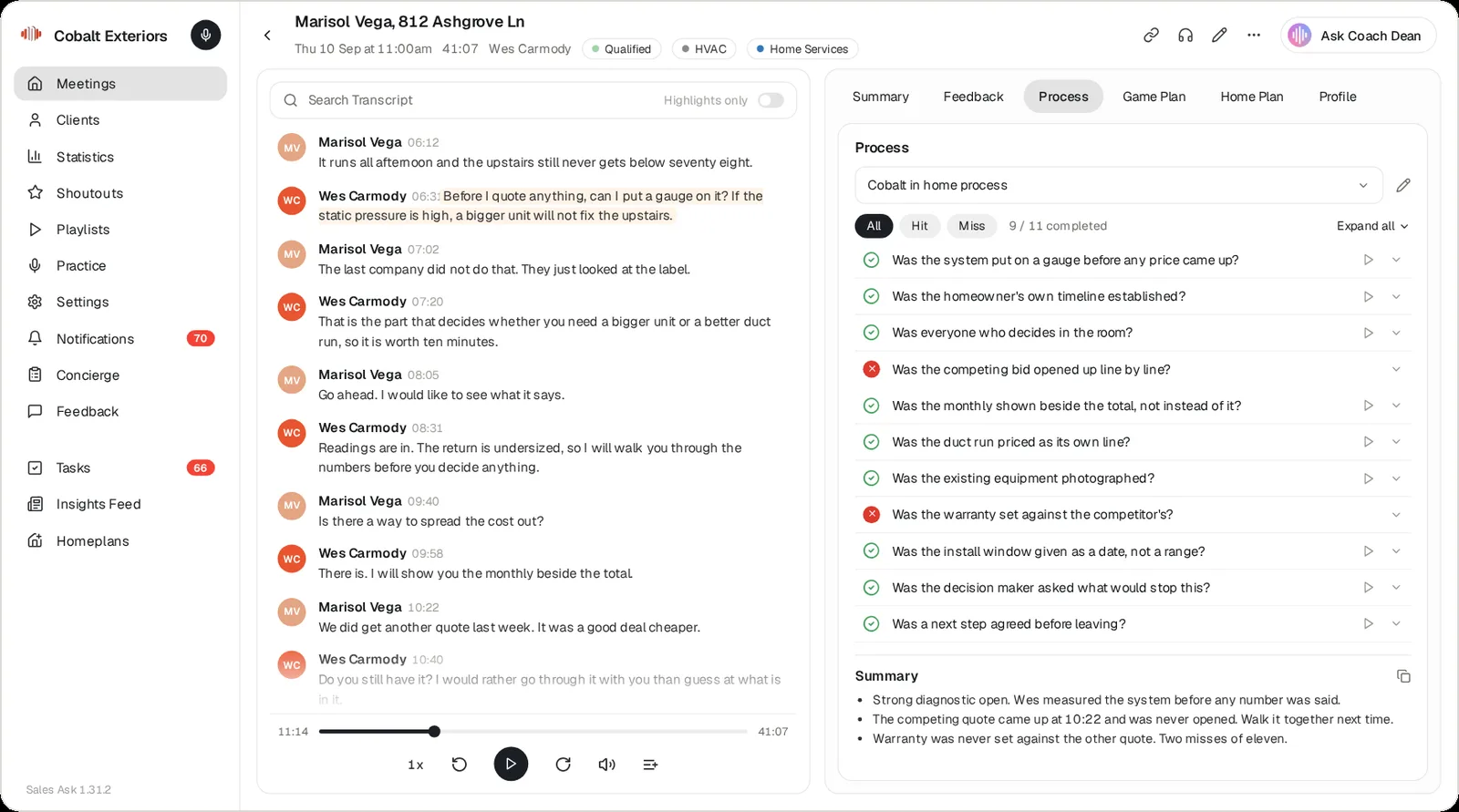
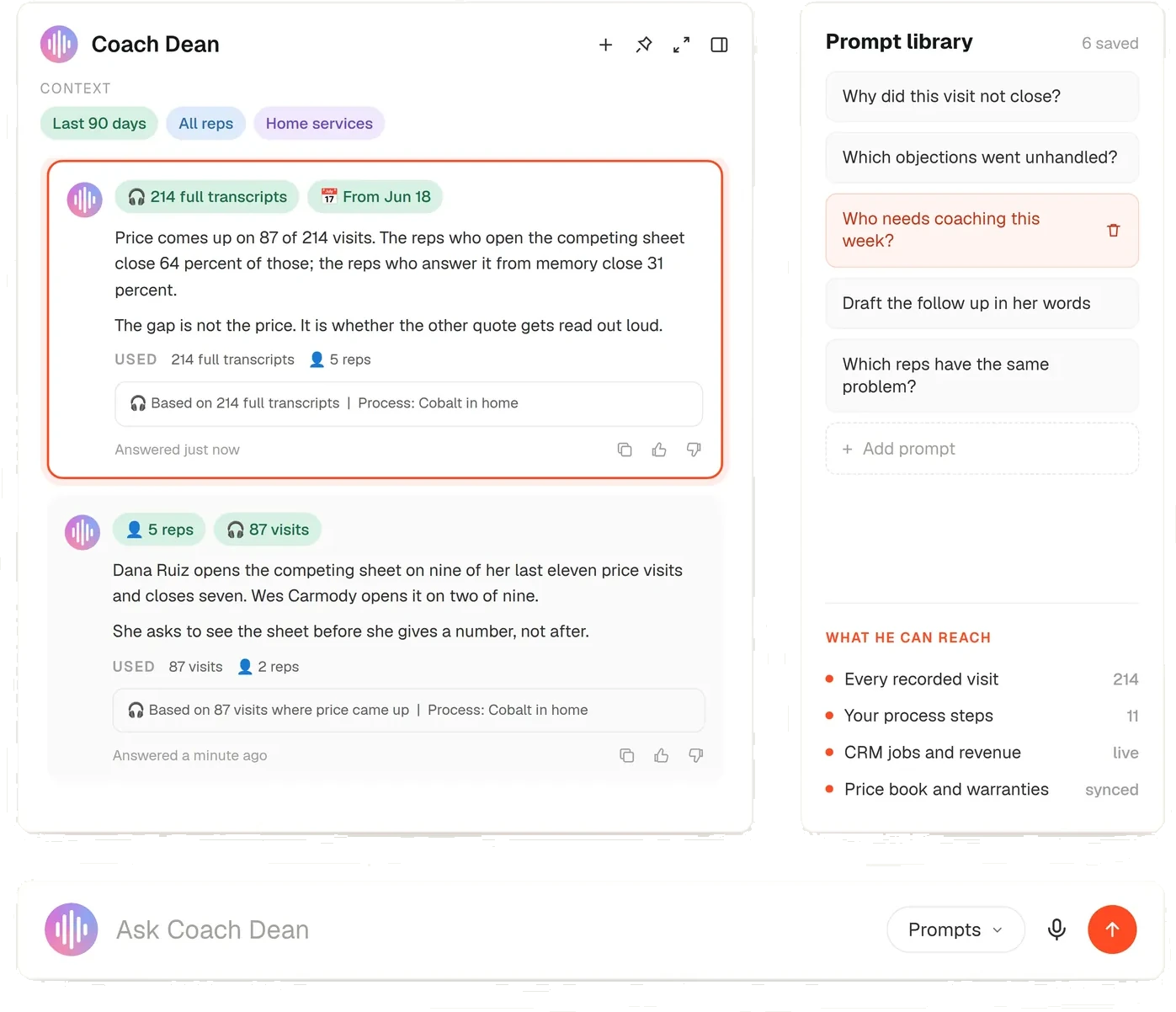
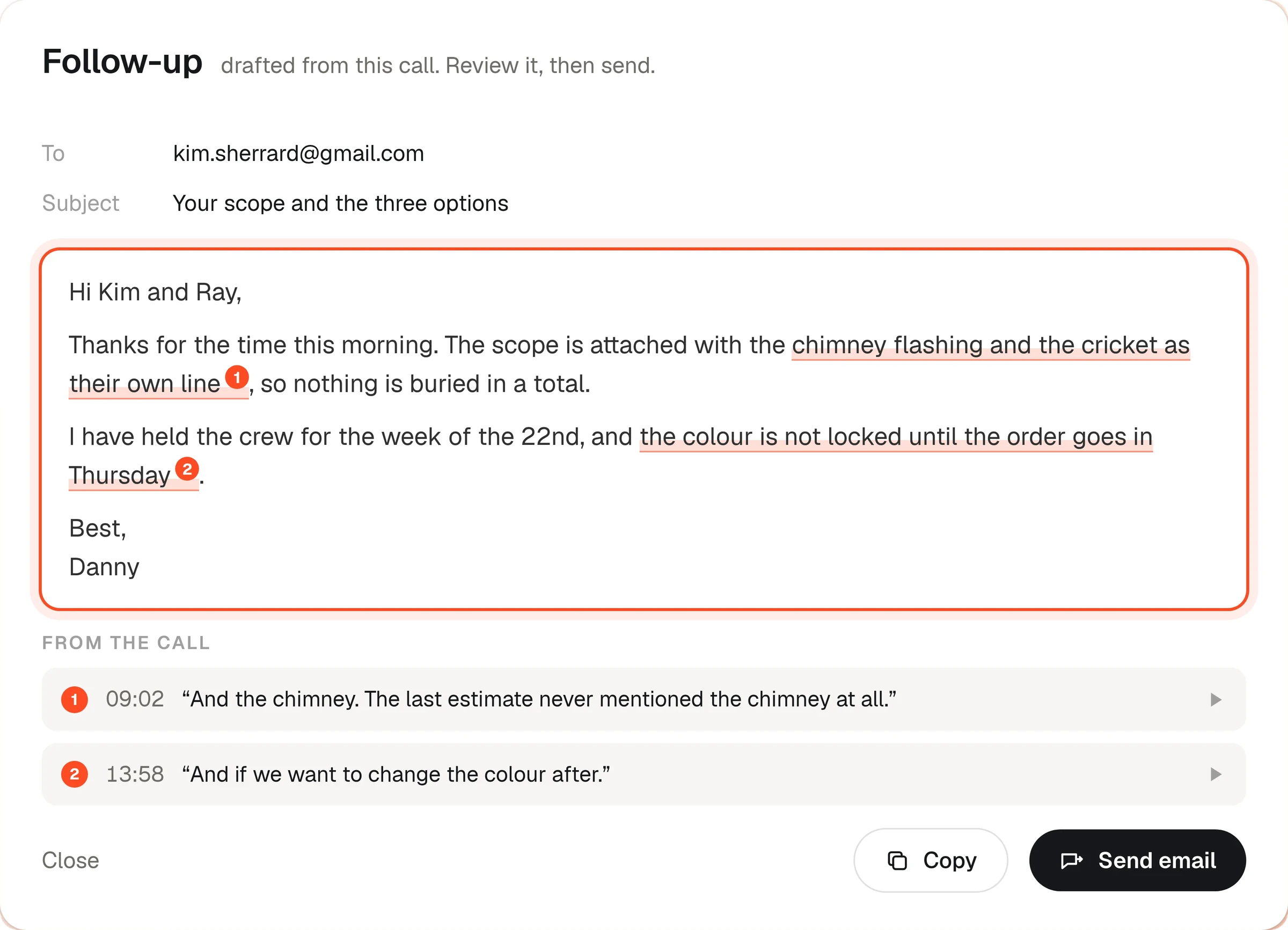
- A plan drafted from one of your own appointments
- The rep's review, edit and approve step
- What the homeowner sees on their phone
- The opens, clicks and shares that come back to you
“We uploaded the same recordings into every platform and compared them side by side for three months. SalesAsk was the one that fit how we actually sell.”
 SOC 2 Type I
 GDPR compliant

FAQ
Questions about HomePlan
HomePlan is part of SalesAsk. After a sales appointment, it builds a personalised web page for the homeowner from the recording of that appointment, so everyone in the household sees the same plan.
The rep gets an email when their HomePlan draft is ready. They open the preview, add documents or photos, edit anything that is wrong, regenerate if they want to, then approve and send.
No. A draft carries an Unpublished badge and is visible only inside SalesAsk. The homeowner sees the page only after the rep approves and sends it.
Roof area, roofing squares, predominant pitch and detected roof planes come from Google Solar imagery of the address. Every figure is labeled Estimated, with a note to confirm before ordering.
The upload is private. It is never added to the public page, and it is kept for 30 days.