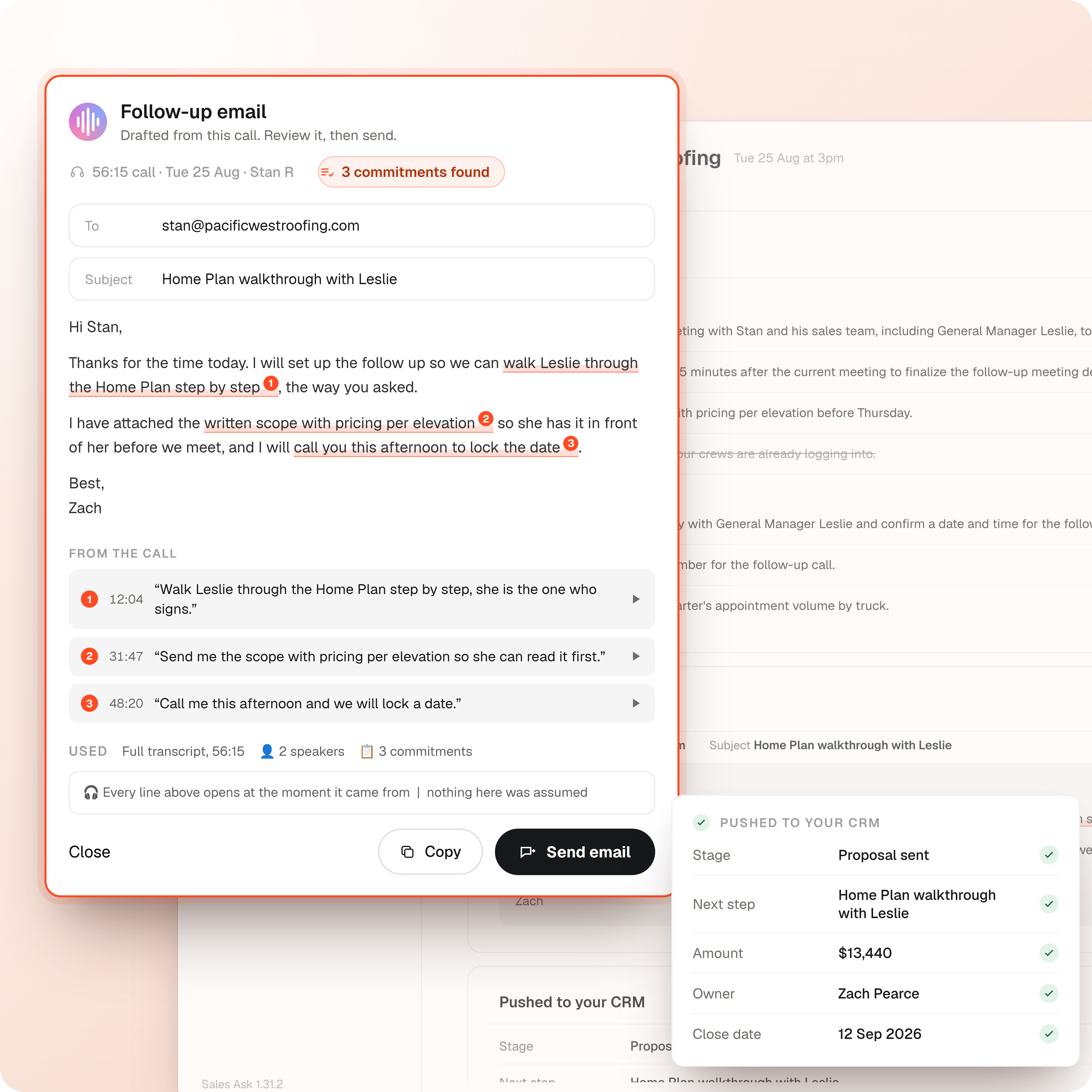
Every appointment writes its own follow-up, so your reps can keep selling.
The recording becomes the summary, the action items, the next steps, the CRM notes and a drafted follow-up. Your rep taps record, finishes the appointment, and the paperwork is already written.
1,000+ sales teams rely on SalesAsk.




















Your reps were hired to sell, not to write up what just happened.
SalesAsk turns the recording into a written summary, a list of action items, next steps, CRM notes, a deal stage update and a drafted follow-up message. The rep does not type any of it.
How it works
What SalesAsk writes for the rep after the appointment
Five pieces of follow-up work, all drafted from the recording before the rep opens a laptop.
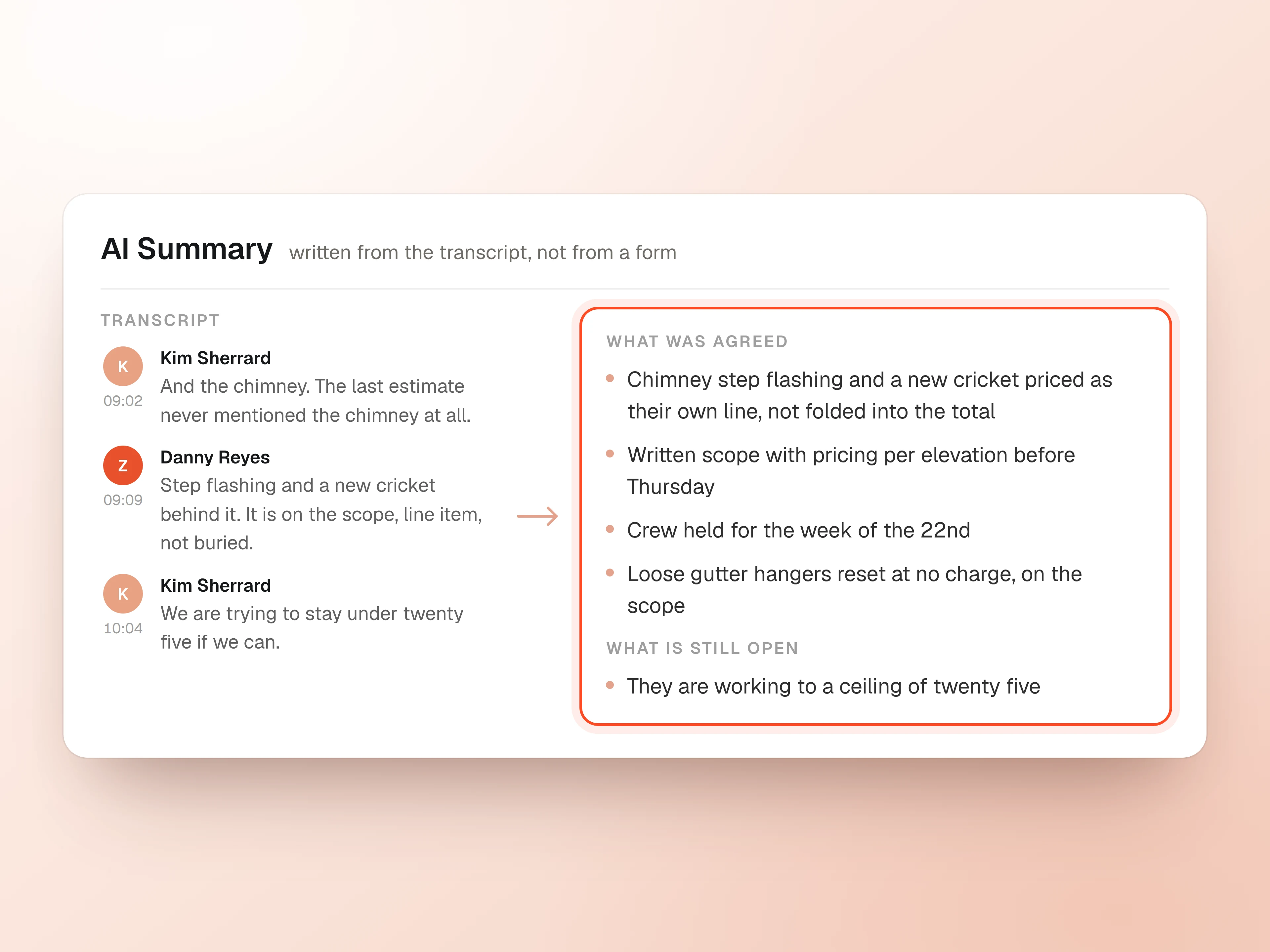
Every appointment comes back as a written summary
SalesAsk reads the transcript and writes what was discussed, what the customer asked for and what was agreed.
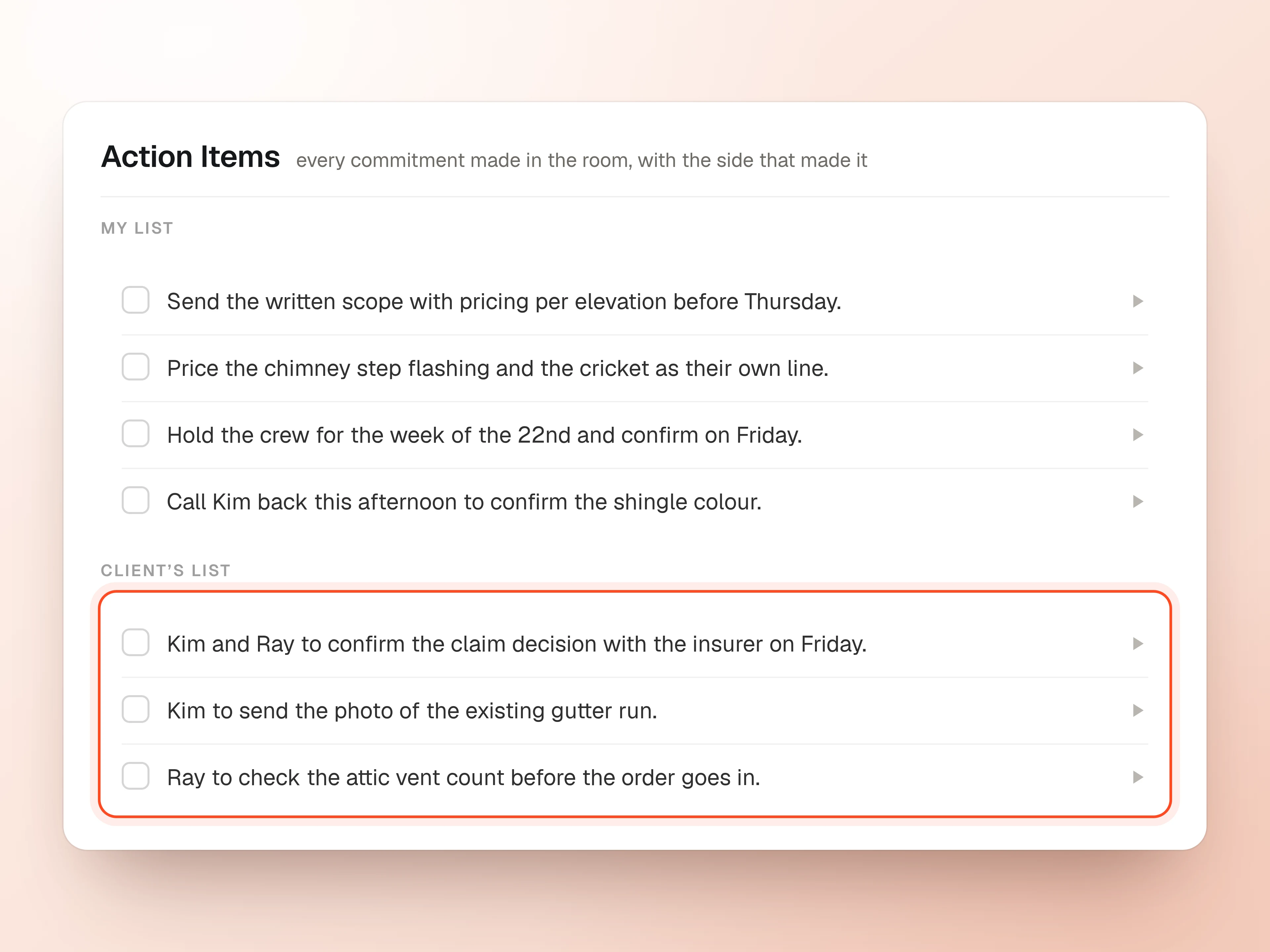
The commitments made in the room become a list
Every promise the rep made and everything the customer asked for is pulled out as an action item with an owner and a date.
Notes and deal stage written into your CRM
The summary, the notes and the stage change land on the right job in ServiceTitan, Jobber, Housecall Pro, Salesforce or HubSpot.
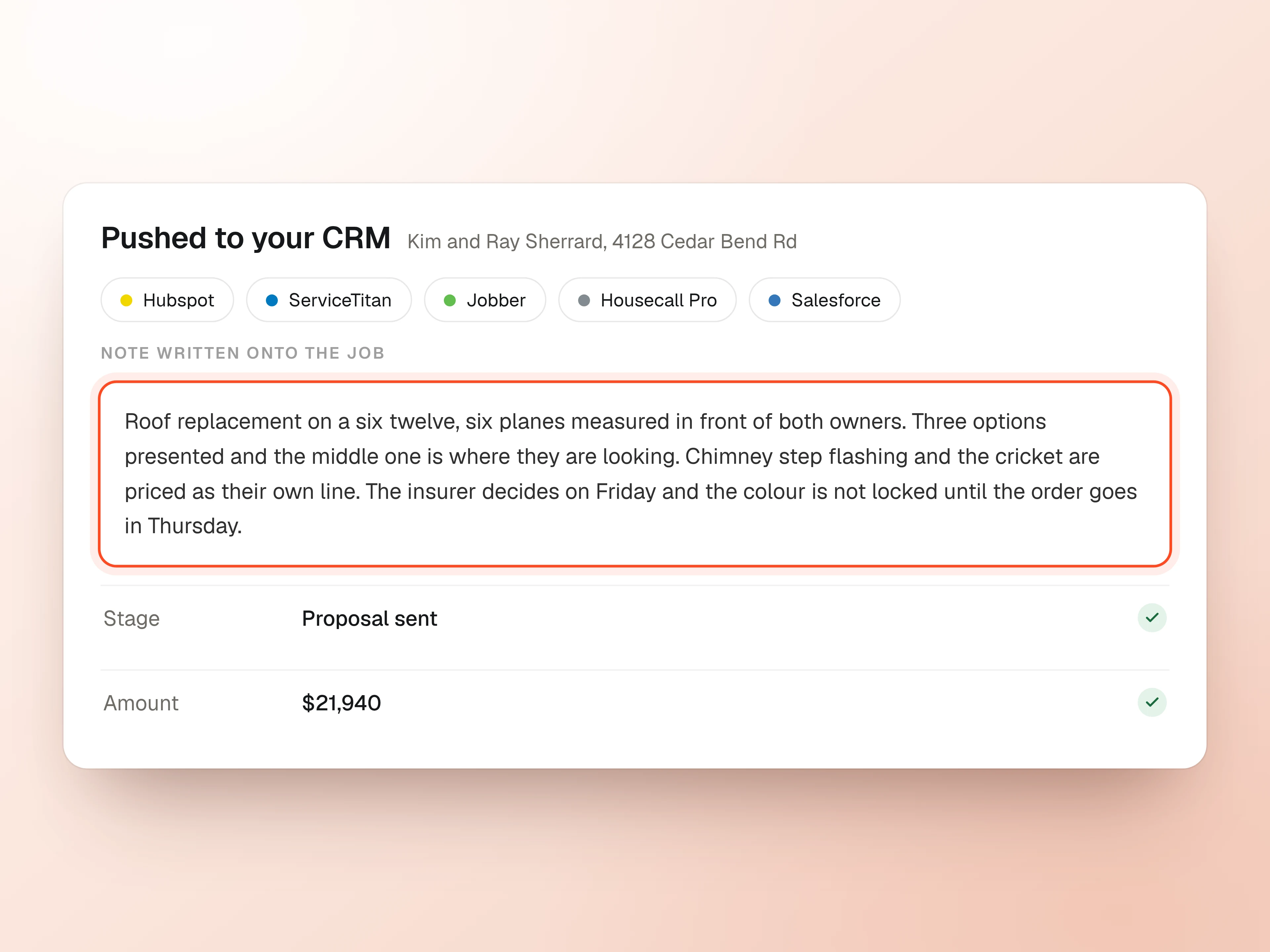
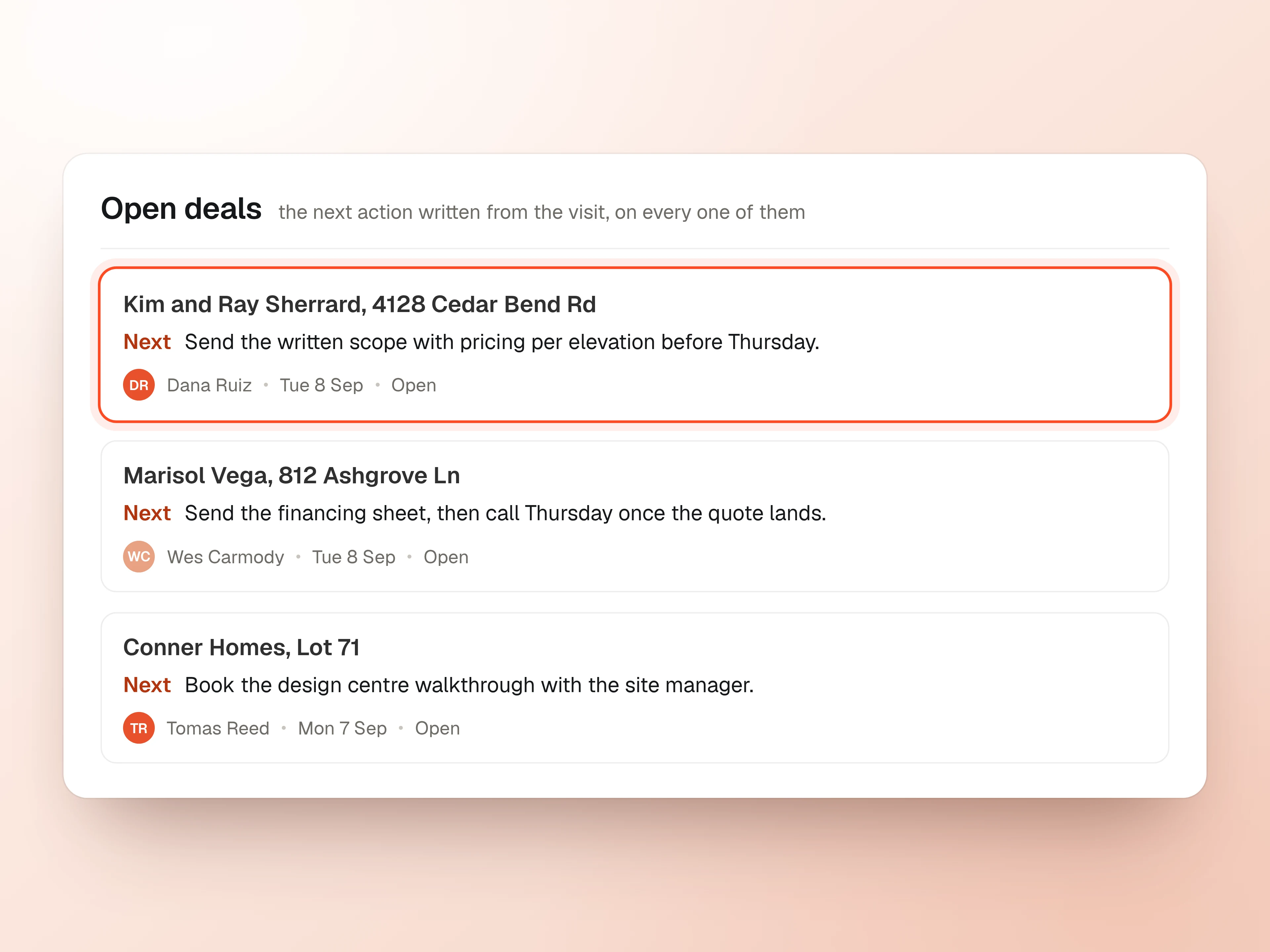
The next action on every open deal, set from the visit
SalesAsk writes the next action onto the record in your CRM, taken from what the customer asked for and when they said they would decide.
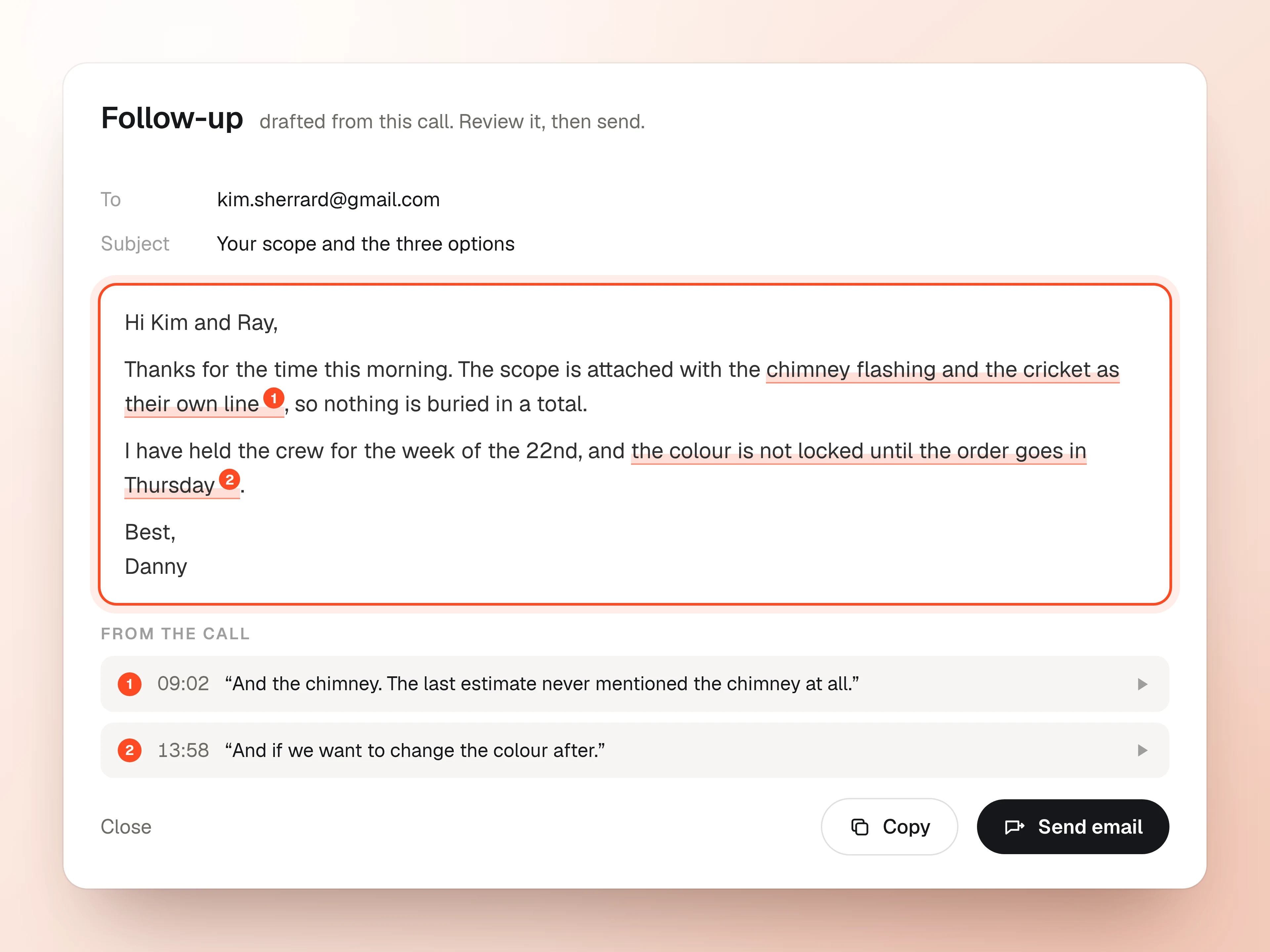
A personalized follow-up already drafted
The follow-up references the options, the pricing and the worries the customer raised, so the rep reviews it instead of writing it.


“It's great to see that percentage go up and know that they're confidently presenting what needs to be talked about: the process, our company, all of that.”
Read the story

“I was completely blind when it came to training my team and building their skills.”
Read the story

“It has allowed us to develop our people faster, hold them accountable, and deliver a better experience for our customers.”
Read the storyResources
Featured insights

Notes from Builder Innovator: the stack we kept seeing and the gaps every VP mentioned.
Read the articleHow to turn your best rep's process into the standard every rep follows.
Get the playbookWhat gets said at the kitchen table, and what it means for your close rate.
Read the report


FAQ
Sales automation questions
SalesAsk turns the recording into a written summary, a list of action items, next steps, CRM notes, a deal stage update and a drafted follow-up message. The rep does not type any of it.
Yes. Everything SalesAsk writes is a draft. The rep reads the follow-up, edits anything they want to change and sends it. Nothing is sent to a customer automatically.
ServiceTitan, Jobber, Housecall Pro, Salesforce, HubSpot and Builder Prime. The summary, the notes and the stage change land on the right job, so the record is current without anyone retyping it.
A note taker gives you a transcript. SalesAsk is built for field sales, so it also scores the appointment against the sales steps your company already teaches and writes the follow-up work in the language your team uses.
Minutes. The recording is processed as soon as the appointment ends, so the summary, the action items and the drafted follow-up are usually waiting before the rep reaches the next job.