E-Signatures for Contractors: Close Without the Third Trip
On this page
An electronic signature on a contractor agreement is as valid as ink under the federal ESIGN Act, which has been law since 2000. So the second trip, where a rep drives back out on Thursday because the homeowner wanted to look the contract over, is a habit and not a legal requirement. What still applies in full is the three-day cancellation rule for many sales made in the home.
Key takeaways
- The ESIGN Act (15 U.S.C. 7001) says a signature or contract can't be denied legal effect only because it is electronic. State laws based on UETA, and New York's own statute, say the same.
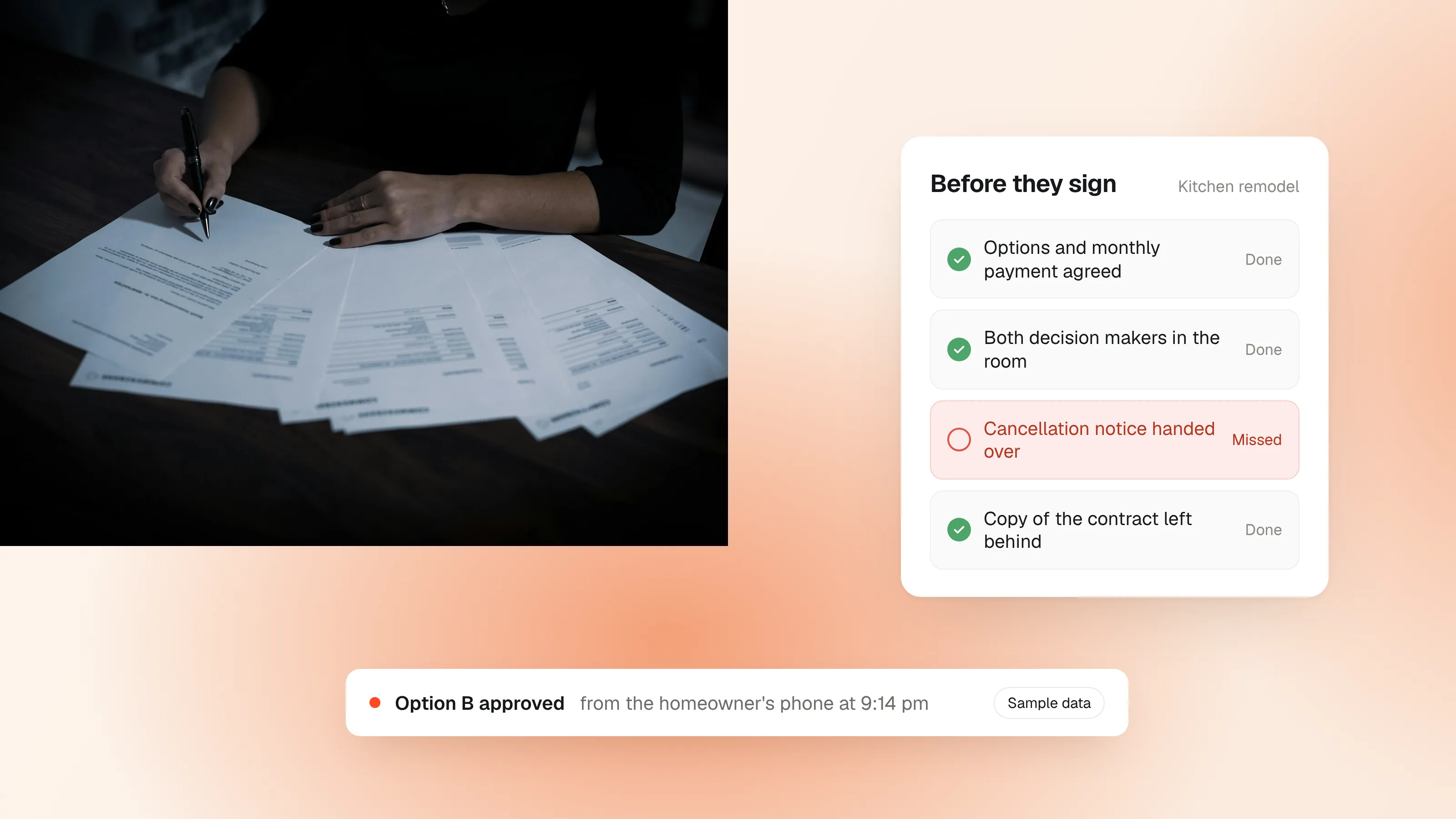
- The FTC's Cooling-Off Rule depends on where the sale happened. Signing on a tablet doesn't remove the homeowner's right to cancel or your duty to hand over the cancellation notice.
- Appointments where financing was mentioned closed at 49%, against 38% where it wasn't, in the SalesAsk Kitchen Table Report. Settle the payment before you ask for the signature.
- An emailed PDF tells you nothing after "sent," and it is read by people who weren't at the appointment.
- Ask a lawyer before moving notarized documents or lender paperwork off paper.
Are e-signatures legally binding for contractors?
Yes. Under the federal ESIGN Act, a signature or contract can't be denied legal effect only because it is in electronic form. The states have their own laws to the same effect, nearly all of them based on the Uniform Electronic Transactions Act. New York uses its own statute, the Electronic Signatures and Records Act.
What matters in practice is narrower than contractors fear:
- The signer meant to sign.
- They agreed to do business electronically.
- The signature can be tied to them.
- They could keep a copy.
A signing tool that logs those four things gives you a better record than a paper contract in a truck cab. I'm not a lawyer, and state rules differ, so have yours look at your paperwork once.
Two kinds of document I'd clear with a lawyer before moving them off paper: anything your state requires to be notarized, and anything your financing partner issues, because lender documents follow the lender's rules.
Does the three-day cancellation rule still apply to e-signed contracts?
Yes. The FTC's Cooling-Off Rule follows where the sale happened, and how the contract was signed doesn't change it. For covered sales made at the buyer's home, the homeowner has until midnight of the third business day to cancel, and the seller has to tell them so at the time of sale and give them two copies of a cancellation form along with the contract or receipt.
The rule has exceptions that matter in the trades. It doesn't cover sales under $25, sales needed to meet an emergency, or work that results from the homeowner asking you out for a repair or maintenance visit, though anything sold beyond that request is covered. Some states add their own cancellation rules on top.
The practical move is to build the notice into your closing routine so it's dated alongside the signature. Write your contract to the strictest rule you sell under.
Should the homeowner sign at the kitchen table or after you leave?
At the table, when the decision has been made. Pushing a signature on a homeowner who told you they're collecting three bids trades a signature today for a cancellation on day two, plus a materials order to unwind.
What makes a homeowner ready to sign in the room? The best evidence we have points to the money conversation. Across all trades in the SalesAsk Kitchen Table Report, appointments where financing was mentioned closed at 49%, against 38% where it wasn't. That is a correlation.
A rep who presents options, lands on a monthly payment the homeowner can say yes to, and then slides the signing screen across the table isn't pressuring anyone. A rep who skips the money and goes straight to the signature line is, and homeowners notice. Our guide on how to raise financing covers the step before this one.
Why do emailed PDF contracts go quiet?
Because a PDF attachment hands your close to whoever is in the room when it gets opened, and that person wasn't at your appointment. The spouse who missed the presentation reads nine pages of legal text cold, with no photos and no context. The brother-in-law who once framed houses gets forwarded a line-item price.
The mechanics are just as bad. Print it, sign it, find the scanner, discover the printer has been out of toner since spring, set it aside for the weekend.
You also see none of it. "Sent" is the last thing a PDF tells you. Our guide to digital proposals makes the wider case.
How does HomePlan help after the visit?
HomePlan in SalesAsk turns the appointment into one plan page for the household, with the options and the payment on it. The homeowner can forward the link to a spouse or a parent and approve an option from their phone, or tap "Not ready yet" and tell you what's holding them back. SalesAsk shows you when the page is opened and shared.
It has limits. It won't rescue a bad appointment, and it won't make an unconvinced homeowner approve anything. Treat the approval as the homeowner's decision, and keep your own contract and cancellation paperwork as your lawyer advises.
What should you look for in an e-signature tool?
Decide first whether signing arrives as a separate document or at the end of the proposal the homeowner already saw. That choice matters more than a feature list.
| A separate signing document | Signing at the end of the proposal | |
|---|---|---|
| What the homeowner opens | A legal document to execute | The options they saw in the home, with the contract after them |
| The spouse who missed the appointment | Gets a contract to inspect | Gets the options and photos first |
| Where it suits | Service agreements, repair work, simple paperwork | Large jobs with options and more than one decision maker |
Whatever you use, check four things: it records consent to sign electronically, it keeps an audit trail, it gives the homeowner a copy, and the signature field is easy to find on a phone.
How do you coach reps on the signing moment?
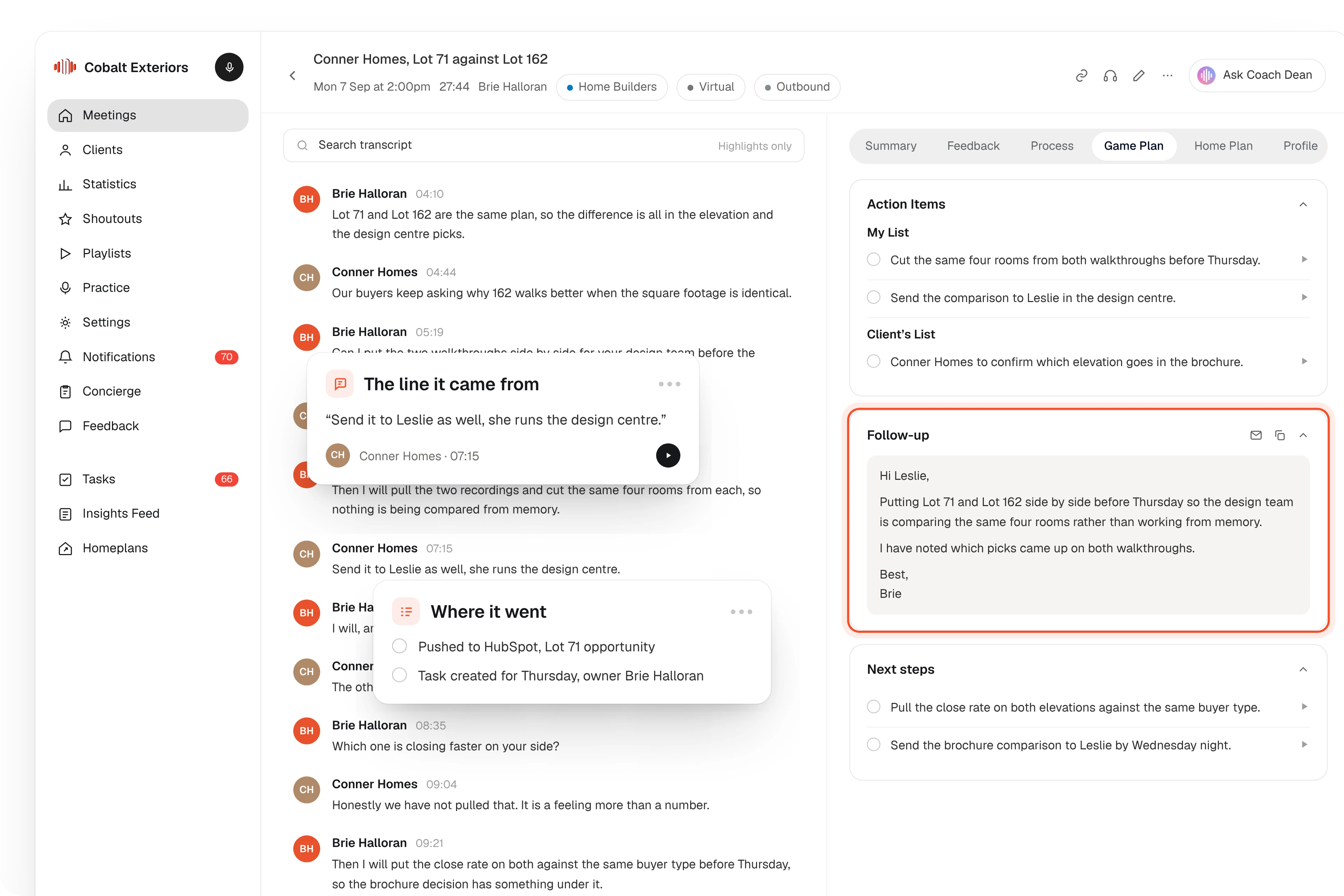
Coach it in SalesAsk, where you can hear whether the payment was settled before the signature was asked for. A rep practices the close in an AI roleplay before the visit, can turn on live coaching during it, and gets written feedback afterward, scored against your own sales steps.
To hear how your reps ask for the signature today, book a SalesAsk demo.
Do homeowners push back on signing electronically?
In my experience, less than contractors expect, and the hesitation is about the commitment more than the screen. Some homeowners want paper. Let them sign electronically and hand them a printed copy on the spot.
I don't have numbers on signing preference by age for home improvement buyers, and I haven't seen any published that I'd trust. What I can say is that the lost deals I've looked at were lost earlier, in the presentation or in the silence after it.
Frequently asked questions
Is a typed name a real signature?
It can be. What matters is that the person meant to sign and that the signature can be tied to them, which is what a signing tool's audit trail records. Check your own state's rules with a lawyer.
Do you need the homeowner's consent to sign electronically?
Yes, get it and keep the record. ESIGN has specific consent rules for giving consumers electronically any information the law says must be in writing, so ask your lawyer how that applies to your disclosures.
Which documents should stay on paper or go to a notary?
Anything your state requires to be notarized, and anything your lender issues in its own format. A quick test: ask who enforces the document, and ask them.
Does e-signing change the cancellation notice you owe the homeowner?
No. For covered sales you still tell the homeowner about the right to cancel at the time of sale and give them the cancellation forms and a dated copy of the contract or receipt.
Can a homeowner sign from a phone?
Yes, and you should assume they will. Open your own contract on a phone before you send one. If the signature field takes pinching and scrolling to find, fix that first.
Sources
Dara Shabnam
Leads growth at SalesAsk and writes about in-home sales training and recording consent.
More posts byWritten by the SalesAsk team
SalesAsk records and coaches in-home sales conversations for home service, home improvement and home builder teams.
More posts